
Working on a single laptop screen can become difficult when your daily work involves several apps, documents, meetings, and data sources. Constantly switching between tabs can interrupt your workflow. It can also make your digital workspace feel crowded. A 16 inch laptop screen extender gives you more viewing space while keeping your laptop at the center of your setup. It can be useful for traders, developers, business professionals, designers, content creators, students, and remote workers. Instead of depending on a fixed desktop setup, you can organize different applications across multiple displays.
RIITEK offers multi-screen display solutions for users who want more room to work from their laptops. In this guide, you will learn how a 16-inch screen extender works, its benefits, common use cases, and the key factors to check before creating a three-screen workspace in 2026.
What Is a 16 Inch Laptop Screen Extender?
A 16 inch laptop screen extender is designed to add extra displays to a compatible laptop. These additional screens provide more room for documents, apps, charts, communication tools, and other content. As a result, you do not have to fit everything onto one laptop display.
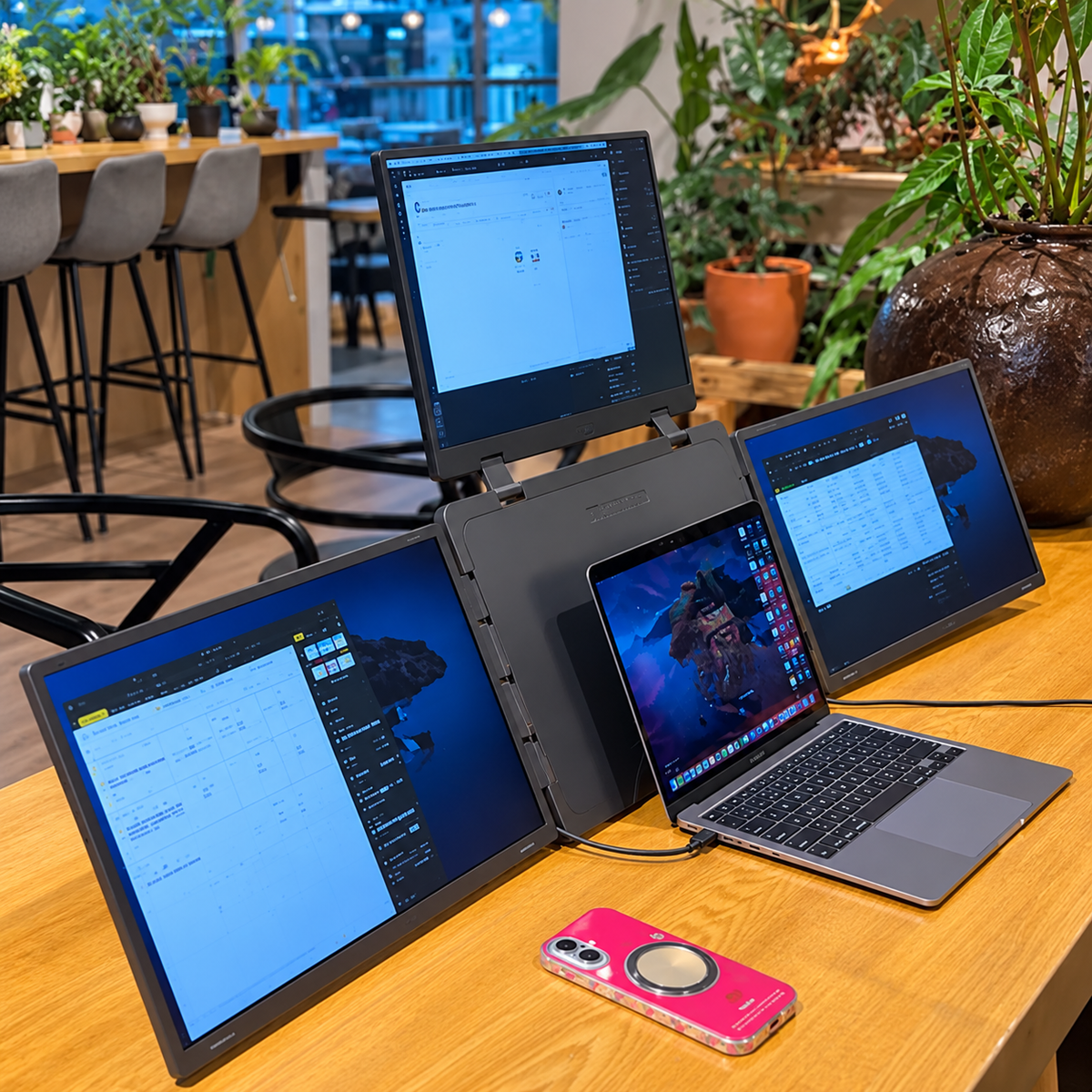
For example, you could keep communication tools on one display and your main work on the laptop screen. Meanwhile, another display could show documents, charts, or reference material. This creates a practical three screen laptop setup for everyday work.
Unlike separate desktop monitors, a laptop screen extender keeps the workspace centered around your laptop. Therefore, it can be useful for people who want more screen space without building a permanent desktop setup. You can explore the Tri 16 model to learn more about its specifications and features.
How Does a Triple Screen Monitor for Laptop Work?
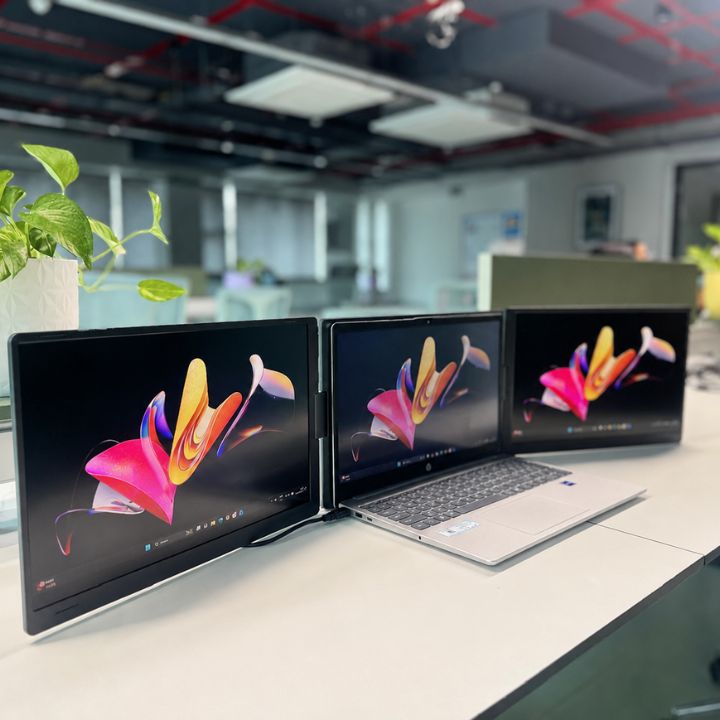
A triple screen monitor for laptop creates a larger workspace by combining your laptop display with two additional screens. Instead of placing every application on the same screen, you can divide your tasks across your workspace.
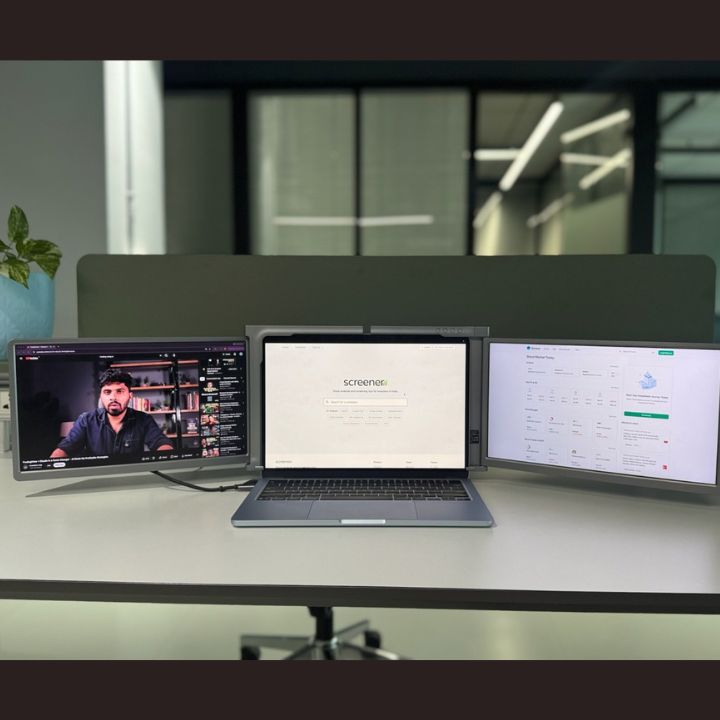
For example, you could keep emails and communication tools on the left display. Your main laptop screen could handle your primary task. At the same time, the other display could show research, reports, charts, or reference material.
The goal is not to fill every screen with applications. Instead, each display should have a clear purpose. This makes the workspace easier to understand and helps you keep useful information visible.
Why Use a Laptop Screen Extender in 2026?
Laptops offer flexibility and make it possible to work from different locations. However, their compact design also limits the amount of screen space available. This can become a problem when you regularly use several applications.
A laptop screen extender provides more viewing space without requiring you to replace your laptop. For instance, you can keep a document open while viewing research or data on another screen. This reduces the need to repeatedly minimize and reopen windows.
Moreover, an extended workspace can be useful for people who move between home, office, meetings, and other work locations. You can continue using your main laptop while gaining more room for everyday tasks.
Key Benefits of a 16 Inch Laptop Screen Extender
One of the main benefits of a larger screen extender is the extra viewing space. When several applications are placed on one laptop display, windows often overlap. Important information can also become hidden behind other applications.
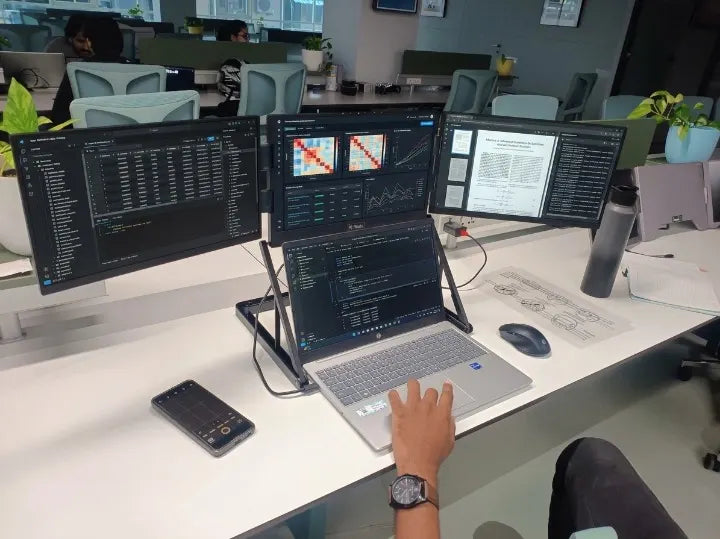
Additional displays give you more room to organize your work. For example, you can keep a spreadsheet visible while checking reports on another screen. Similarly, a developer can keep code visible while referring to documentation.
A portable triple monitor can also make multitasking easier to organize. Instead of constantly searching through open windows, you can place supporting information on another display. Therefore, the extra screens can create a cleaner and more practical workspace.
Better Workspace Organization
Extra screens are most useful when each display has a clear purpose. You might use one screen for communication, another for your primary work, and the third for research or supporting information. This simple structure can make your workspace easier to navigate.
For example, you could use the left display for email and communication tools. The center display could hold your main application. Meanwhile, the right display could show documents, reports, research, or other useful information.
RIITEK provides different display configurations for different laptop and workspace needs. However, the best setup depends on your own workflow and the applications you use every day.
Understanding Laptop Compatibility
Compatibility is an important factor when choosing a 16 inch laptop screen extender. Different laptop models can have different connection options and external display capabilities. Therefore, you should check your laptop specifications before selecting a screen extender.
Start by confirming your exact laptop model, operating system, available connections, and external display support. Two laptops that look similar may still have different capabilities. Checking the exact device details can help you select a suitable setup.
If you are unsure about compatibility, you can contact our team and share your laptop model. This can help you understand which available setup may be suitable for your device.
Why Choose a 16 Inch Display?
Screen size affects how comfortable your workspace feels. A 16-inch display gives you a larger viewing area for documents, charts, code, editing tools, and other detailed content. Therefore, it can be useful for professionals who spend long periods working with visual information.
For example, traders may want more room for market charts. Developers may need space for code and documentation. Likewise, business professionals can use the extra room for spreadsheets, reports, presentations, and communication tools.
However, screen size should not be the only consideration. You should also think about your laptop size, available workspace, portability needs, and daily tasks. If you want to compare different options, browse the complete product collection.
16 Inch Laptop Screen Extender for Business Professionals
Business professionals often use several applications throughout the day.
A normal workflow may include:
-
Email
-
Spreadsheets
-
Presentations
-
CRM software
-
Documents
-
Video meetings
-
Messaging tools
-
Reports
Working with all these tools on one screen often means constantly switching between windows. Extra displays allow you to divide your workspace.
For example, keep your CRM or email on one display, your main document or spreadsheet in the center, and reports on another screen. This can make information easier to access throughout the working day.
Triple Monitor Setup for Trading
A triple monitor setup helps traders keep charts, watchlists, market news, and trading platforms visible across different screens. This creates a more organized workspace and reduces frequent switching between windows.
Three Screen Laptop Setup for Developers
A three screen laptop setup gives developers more space for coding, documentation, testing, and browser tools. For example, you can keep code on the main screen while using the other displays for documentation and application previews.
Portable Triple Monitor for Content Creators
A portable triple monitor can help video editors, designers, writers, and SEO professionals manage multiple tools. Editing software can stay on the main display while reference material and supporting tools remain visible on the other screens.
Portable Monitor for Laptop Users Working Remotely
A portable monitor for laptop provides extra screen space for people working from home, offices, or other locations. It helps create a flexible workspace without depending on a permanent desktop setup.
Using a Tri Screen Monitor for Online Meetings
A tri screen monitor can make online meetings easier to manage. Keep the video call on one screen, notes or documents on another, and your main work or presentation on the third.
Triple Screen Setup for Research and Study
Students and researchers can use multiple screens to keep research, notes, and references visible together. This makes it easier to compare information and reduces unnecessary tab switching.
Reduce Constant Tab Switching
Extra displays keep important information visible while you work. This reduces frequent switching between documents, emails, spreadsheets, and research pages. For more ideas, read our guide on building a triple monitor setup for professionals.
How to Organize Your Three Screens
Adding more displays is most useful when each screen has a clear role. Start by deciding which display will handle your primary task. For many users, the central laptop display works well for the application that requires the most attention.
The left screen could be used for communication, email, monitoring tools, or reference material. Meanwhile, the main screen could hold your spreadsheet, code editor, writing application, trading platform, or design software. The right screen could then be used for research, documentation, reports, previews, or other supporting applications.
Your ideal arrangement may be different, and there is no single layout that works for everyone. The best approach is to organize your displays according to the applications you use most often. Once you find a comfortable arrangement, keeping it consistent can make your workspace easier to navigate.
Avoid Filling Every Screen
Having three screens does not mean every display needs to be packed with applications. Too much information can become distracting and may make your workspace harder to manage. Extra screen space should simplify your workflow rather than encourage unnecessary clutter.
Keep only the applications that support your current task visible. For example, if you are writing a report, you may only need your document, research material, and communication tool. Other applications can remain minimized or closed until they are needed.
A cleaner workspace can make it easier to identify important information. The benefit comes from having enough room for useful applications, not from keeping every available tool open.
What to Check Before Buying
Before purchasing a screen extender, consider more than screen size. Start by checking your exact laptop model, operating system, available connections, and external display capabilities. Compatibility can vary between laptops, so checking these details is an important first step.
You should also consider your main use case. Someone who wants additional screens for trading may organize the workspace differently from a developer, designer, student, or business professional. Understanding why you need additional displays can help you select a more suitable setup.
Finally, think about screen size and portability. A larger display provides more viewing space, while a smaller option may suit users who prioritize a compact setup. Choosing the right balance depends on how and where you plan to work.
Laptop Screen Extender vs Traditional Desktop Monitors
Both screen extenders and traditional monitors provide additional display space, but they are designed for different situations. Traditional monitors can be an excellent choice for a permanent office desk where the screens rarely need to move. They can be arranged using monitor stands or arms to create a fixed workspace.
A laptop screen extender focuses more on keeping the workspace centered around your laptop. This can be useful for users who prefer a flexible setup or do not want several separate desktop monitors. It may also suit people who work from different locations.
Your choice should depend on how you normally work. If you have a permanent desk and rarely move your computer, traditional monitors may make sense. If your laptop is your main device and flexibility matters, an extender-style setup may be worth considering.
Choosing the Right Screen Extender in 2026
There are several ways to create a multi-screen workspace in 2026. Therefore, the best option depends on your laptop, working environment, available space, and daily tasks. There is no single display configuration that is ideal for every user.
If you mainly work from a permanent desk, standard desktop monitors may suit your needs. However, if your laptop is your primary computer and you want a flexible multi-display workspace, a screen extender may be a more practical option.
Think about the applications you use most often and how frequently you need them visible together. This will help you decide whether a multi-screen arrangement can improve the way your workspace is organized.
Is a 16 Inch Laptop Screen Extender Worth It?
A 16 inch laptop screen extender can be worthwhile when additional screen space solves a genuine problem in your workflow. It may be especially useful if you frequently compare documents, monitor multiple data sources, work with large spreadsheets, write code, edit content, attend meetings, or perform research.
The value depends on how you work. Someone who mainly uses one application may not benefit as much as a professional who manages several tools throughout the day. Therefore, consider your existing workflow before deciding whether you need extra displays.
If you regularly find yourself minimizing one window to access another, a larger workspace may help. The main benefit is having important information available without forcing everything into one small display.
Why a 16 Inch Screen Can Work Well for Professionals
Professionals often need a balance between screen space and flexibility. A 16-inch display provides a larger viewing area for detailed work while remaining part of a laptop-centered setup. This can make it suitable for people who want more space without moving completely to a fixed desktop workstation.
Traders can use additional room for charts and market information, while developers can display more code or documentation. Business professionals can work with spreadsheets and reports, while content creators can give editing tools, timelines, and previews more space.
The ideal size still depends on your laptop and working environment. Consider both the viewing area and how easily the complete setup fits into your normal workspace.
Final Thoughts
A 16 inch laptop screen extender can provide a practical way to create a larger digital workspace around your laptop. Instead of constantly moving between windows, you can keep important applications and information visible across multiple displays. This can be useful for people who regularly manage several tools during their working day.
A triple screen monitor for laptop can be particularly useful for traders, developers, business professionals, content creators, researchers, students, and remote workers. However, compatibility should always be considered before choosing a display setup. Check your laptop model, available connections, screen requirements, and external display capabilities before making a decision.
RIITEK offers different display solutions for users who want to expand their laptop workspace. Before selecting a model, consider your daily tasks, screen-size requirements, working environment, and laptop compatibility. With the right setup, your laptop can become a more spacious and organized workspace for business, trading, coding, research, meetings, and everyday multitasking.
Frequently Asked Questions
1. What is a 16 inch laptop screen extender?
A 16 inch laptop screen extender is designed to add extra display space to a compatible laptop. It allows you to organize applications, documents, charts, and other information across multiple screens instead of keeping everything on one laptop display. This can be useful for work, trading, coding, research, meetings, and content creation.
2. Can I use a 16 inch laptop screen extender for a triple monitor setup?
Yes, when used with a compatible laptop, the additional displays can work alongside your main laptop screen to create a triple monitor setup. You can organize different applications across the screens based on your daily workflow. Always check your laptop's compatibility before choosing a setup.
3. Who should use a triple screen monitor for laptop?
A triple screen monitor for laptop can be useful for traders, developers, business professionals, designers, content creators, students, researchers, and remote workers. It is especially helpful for people who regularly use several applications or sources of information at the same time. The additional screen space can make those applications easier to organize.
4. Is a portable triple monitor useful for work and travel?
A portable triple monitor can be useful for professionals who want additional screen space without depending entirely on a permanent desktop setup. It can support working from different locations while keeping the laptop at the center of the workspace. However, users should consider their laptop size, working space, portability needs, and compatibility before choosing a setup.
5. How do I know if the screen extender is compatible with my laptop?
Check your exact laptop model, operating system, available connections, and external display capabilities before purchasing. Compatibility can vary between different laptop models, so confirming these details first is important. If you are unsure, contact our team and share your laptop model for guidance.