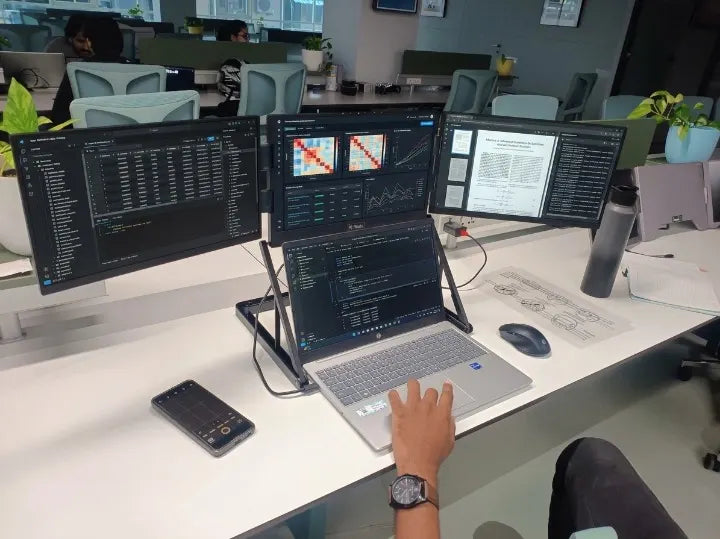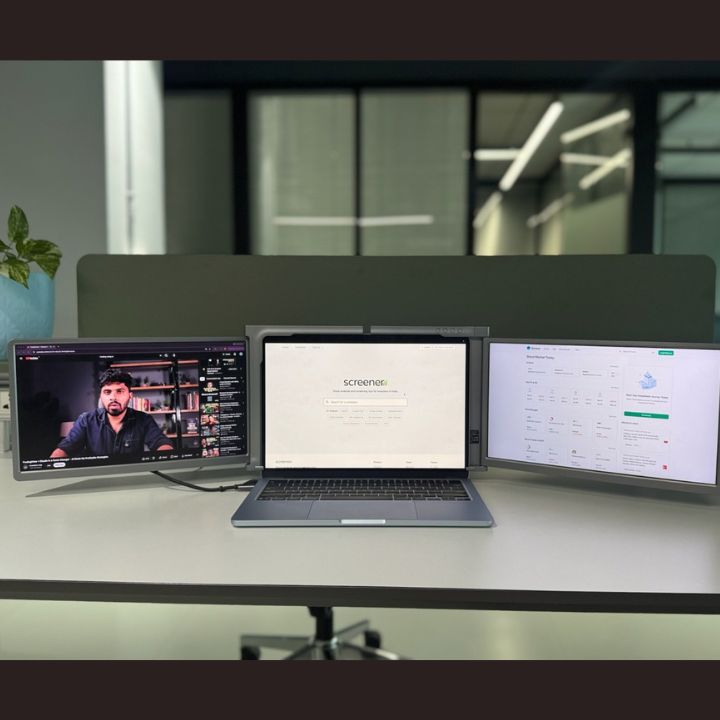

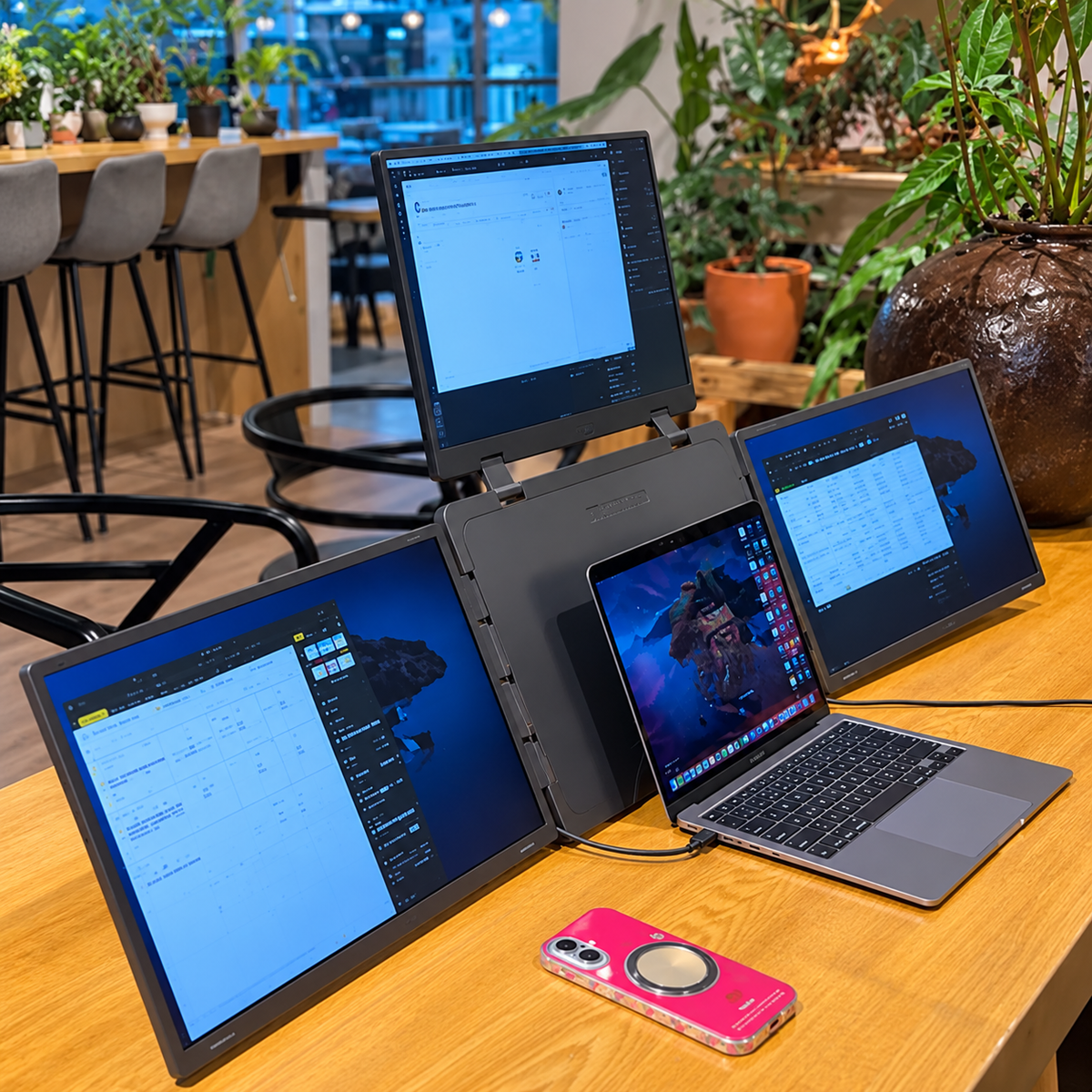
In 2026, working on a single laptop screen can feel limiting, especially for professionals managing multiple applications, spreadsheets, trading charts, coding projects, or creative tasks. As remote work, digital collaboration, and data-driven workflows continue to shape modern workplaces, having enough screen space is an important consideration. An 18.5 inch laptop screen extender, such as the RIITEK Quad 18.5, offers a way to expand your workspace without relying on a conventional desktop monitor arrangement. With larger displays, flexible positioning, and multiple-screen configurations, these devices can help professionals manage demanding workflows.
But is investing in an 18.5 inch portable monitor actually worth it? Does having additional screens improve your working experience, or is a regular external monitor enough?
In this guide, we explore the features, practical advantages, limitations, and buying considerations of an 18.5 inch laptop screen extender in 2026. We also examine the RIITEK 18.5 Inch Quad Portable Monitor to understand who can benefit most from this multi-screen solution.
What Is an 18.5 Inch Laptop Screen Extender?
An 18.5 inch laptop screen extender is an external display solution designed to increase the available screen space of a laptop.
Unlike a traditional desktop monitor, a portable screen extender focuses on flexibility and can be moved between different working locations.
Depending on the product, a laptop screen extender may feature one, two, or three additional displays.
For example, the RIITEK 18.5-inch quad portable monitor comes with three 18.5-inch screens. When connected to a compatible laptop, these screens work alongside the laptop's built-in display to create a four-screen workstation.
This arrangement allows users to view multiple applications simultaneously instead of constantly switching between windows.
For professionals handling complex projects, a quad monitor for laptop use can create a more organized digital workspace.
For a closer look at how additional displays can change your daily workflow, read our guide on Laptop Screen Extender 18.5 Inch: Expand Your Laptop Workspace.
Why Are 18.5 Inch Laptop Screen Extenders Worth Considering in 2026?
Laptops offer convenience and mobility, but their built-in displays may not provide enough room for every professional workflow.
An 18.5 inch portable monitor offers several advantages for people who regularly work with multiple applications.
1. Larger Screen Space for Complex Workflows
One major reason to consider an 18.5 inch laptop screen extender is the additional viewing area.
Larger displays provide more physical space for documents, charts, spreadsheets, browser windows, and application interfaces.
Professionals who regularly compare detailed information may find this especially useful.
For example, financial analysts can keep spreadsheets and financial dashboards visible, while software developers can organize coding tools and documentation across separate screens.
The additional screen area can improve workspace organization without requiring users to resize every application into a small window.
2. Better Multitasking Without Constant Window Switching
Managing several applications on one laptop display often requires switching between windows.
With a multi screen laptop setup, users can dedicate different screens to specific tasks.
For example:
- Screen 1: Main laptop workspace
- Screen 2: Spreadsheets and reports
- Screen 3: Emails and communication tools
- Screen 4: Dashboards, research, or reference materials
This structure makes important information easier to access and can reduce interruptions caused by repeatedly changing tabs.
3. More Flexibility Than a Permanent Desktop Setup
Traditional multi-monitor workstations usually require separate desktop monitors, monitor stands, power connections, and sufficient desk space.
A portable laptop screen extender offers an alternative for users who want additional displays without installing a permanent workstation.
Foldable designs, including the RIITEK Quad 18.5, are particularly useful for professionals who divide their time between home, office, and other work locations.
However, large multi-screen extenders are generally heavier and require more setup space than compact single portable monitors.
4. A More Organized Working Environment
Additional screens do not automatically improve productivity. Their usefulness depends on how effectively the workspace is arranged.
For professionals who constantly compare data, monitor information, or work across different tools, an 18.5 inch laptop screen extender can make it easier to separate tasks.
This can support a more structured workflow and reduce unnecessary window management.
Is a Quad Monitor for Laptop Use Better Than a Single Portable Monitor?
A common question among buyers is whether they need one additional display or a complete four-screen laptop setup.
The answer depends on the number of applications they use and how often those applications need to remain visible.
| Feature | Single Portable Monitor | 18.5 Inch Quad Monitor |
|---|---|---|
| Additional Displays | 1 | 3 |
| Total Screens with Laptop | 2 | 4 |
| Multitasking | Suitable for everyday tasks | Suitable for complex workflows |
| Portability | Generally easier to carry | Foldable but larger and heavier |
| Desk Space | Lower requirement | More space required |
| Ideal Users | Students, general office users | Traders, developers, analysts, professionals |
| Cost | Generally more affordable | Higher initial investment |
A single portable monitor is often sufficient for users who primarily need extra space for documents, browsing, or online meetings.
However, users who manage multiple information-heavy applications may find a four-screen setup more useful.
The key is choosing a screen configuration based on actual working requirements rather than simply maximizing the number of displays.
RIITEK 18.5 Inch Quad Portable Monitor: Features That Matter
The RIITEK 18.5 Inch Quad Portable Monitor Laptop Screen Extender is designed for professionals who want a larger multi-screen workspace while retaining the flexibility of a laptop-based setup.
It adds three Full HD IPS displays to a compatible laptop, creating a four-screen workstation.
Three Additional 18.5-Inch Full HD Displays
Each additional screen measures 18.5 inches and offers a resolution of 1920 × 1080 pixels.
The larger displays provide room for detailed charts, spreadsheets, documents, and multiple application windows.
IPS Panel with Wide Viewing Angles
The monitor features IPS display technology with a manufacturer-listed viewing angle of 178 degrees.
This helps maintain a consistent viewing experience when working with multiple screens positioned at different angles.
Flexible Screen Rotation
The quad monitor supports adjustable screen positioning.
The left and right displays offer up to 360-degree rotation, while the upper screen supports adjustment of up to 300 degrees.
These adjustments allow users to configure the workstation according to their working position, available space, or presentation needs.
Foldable Design for Different Work Locations
The foldable construction allows the additional screens to be packed together when they are not in use.
This makes it a practical alternative to transporting three separate desktop monitors, although users should still account for the device's size and weight.
Connectivity and Laptop Compatibility
The product supports connectivity through compatible USB-C and USB-A arrangements and is designed for supported Windows and macOS laptops.
Because multi-screen compatibility can vary by computer model, it is important to confirm the required drivers, available ports, and display support before purchasing.
Who Should Buy an 18.5 Inch Laptop Screen Extender in 2026?
An 18.5 inch laptop screen extender is most valuable when its additional display space serves a clear purpose.
Stock Traders and Financial Professionals
Traders frequently need to observe charts, watchlists, financial news, and trading platforms simultaneously.
A quad screen laptop extender can keep these tools visible on separate displays, making it easier to organize market information.
It does not improve trading outcomes by itself, but it can provide a more convenient workspace for monitoring multiple information sources.
Software Developers and Programmers
Developers often move between code editors, debugging tools, application previews, documentation, and team communication platforms.
An 18.5 inch portable monitor setup with multiple screens can help developers dedicate separate displays to these tools.
This arrangement may be especially useful during complex development and testing tasks.
Data Analysts and Business Professionals
Professionals working with Excel, Power BI, databases, and reporting tools often compare information from multiple sources.
A four-screen laptop setup like the RIITEK Quad 18.5 allows different reports, dashboards, and reference documents to remain visible.
This can make it easier to organize information during research and analysis.
Graphic Designers and Content Creators
Designers and video editors may benefit from keeping editing software, timelines, reference materials, and asset libraries on separate displays.
An additional workspace can be useful, although professionals working with colour-sensitive content should also check colour accuracy and calibration requirements before purchasing.
Remote Workers and Business Owners
Remote professionals may regularly handle online meetings, documents, messaging tools, and project management software.
A multi screen laptop setup can help separate these activities, particularly when they must be viewed at the same time.
What Are the Limitations of an 18.5 Inch Laptop Screen Extender?
Although an 18.5 inch laptop screen extender has several benefits, it is not the right solution for every user.
Higher Cost: A premium quad-screen extender costs more than many standard single portable monitors. The investment is easier to justify when several screens are essential to daily work.
Portability Trade-Off: Despite its foldable design, a large quad monitor takes up more bag space and is heavier than a compact portable monitor.
Desk Space Requirements: A four-screen configuration needs a stable surface and sufficient clearance around the laptop.
Laptop Compatibility: Not every laptop supports every multi-display configuration. Connection methods, software requirements, and operating system restrictions must be checked before purchase.
Power and Performance Considerations: Running additional displays may increase power consumption and place more demands on the laptop, depending on the display technology and applications used.
These factors are important because an extender should make your workflow more convenient, not introduce unnecessary complications.
How Much Should You Spend on an 18.5 Inch Laptop Screen Extender?
When evaluating the price of an 18.5 inch laptop screen extender, it is useful to consider more than the initial purchase cost.
The overall value depends on how frequently you use the additional screens, the applications you run, and whether the setup replaces other equipment.
For example, a professional who regularly needs four displays may value an integrated foldable solution more than someone who only needs one extra screen for occasional browsing.
Before buying, consider:
- How many additional displays do you actually need?
- How often will you use all four screens?
- Do you work at one desk or across multiple locations?
- Is your laptop compatible with the product?
- Would a single external monitor meet your needs at a lower cost?
For current pricing and product details, visit the official RIITEK 18.5 Inch Quad Portable Monitor product page.
If you have questions about pricing, laptop compatibility, or product selection, you can also contact the RIITEK support team for further assistance.
How to Choose the Best 18.5 Inch Laptop Screen Extender
Choosing the right laptop screen extender requires balancing screen size, features, portability, and compatibility.
Check Screen Resolution and Display Quality
A Full HD display with 1920 × 1080 resolution offers a practical viewing experience for common professional tasks.
IPS technology can also be beneficial when using screens at different viewing angles.
Consider the Number of Displays
Not every user requires a four-screen workstation.
Choose a dual, triple, or quad configuration based on the applications you use simultaneously.
Verify Laptop Compatibility
Check operating system support, available ports, driver requirements, and power needs before purchasing.
This is particularly important for devices that connect several external displays through USB-based display technology.
Evaluate Portability and Setup Space
If you travel frequently, consider the product's folded dimensions, weight, carrying case, and the size of the desks where you intend to use it.
Check Warranty and Support
After-sales support is an important consideration for professional equipment.
The RIITEK quad monitor is listed with a one-year warranty. Buyers should review the applicable warranty and return terms before ordering.
Final Verdict: Is an 18.5 Inch Laptop Screen Extender Worth Buying in 2026?
An 18.5 inch laptop screen extender can be a worthwhile investment in 2026 for professionals who regularly manage several applications and need a more spacious working environment.
For traders, programmers, data analysts, designers, and remote professionals, additional displays can simplify information management and help maintain an organized workflow.
However, the value of a quad-screen setup depends on your individual working requirements, available space, budget, and laptop compatibility.
The RIITEK offers additional Full HD IPS displays, flexible screen positioning, and a foldable design that can turn a compatible laptop into a four-screen workstation.
If your daily workflow requires several applications to remain visible simultaneously, the added screen space may justify the investment.\
Frequently Asked Questions
1. Is an 18.5 inch laptop screen extender worth buying in 2026?
Yes, it can be worth buying for professionals who regularly work with multiple applications and need additional screen space. However, users with simpler workflows may find a single portable monitor more cost-effective.
2. Can I use an 18.5 inch portable monitor with any laptop?
Not necessarily. Compatibility depends on the laptop model, operating system, available ports, and any required software or drivers.
3. Is a quad monitor good for stock trading?
A quad monitor can be useful for organizing trading charts, research, market news, and portfolio information across multiple screens.
4. Can a quad screen laptop extender be used for programming?
Yes. Developers can use multiple screens to keep code editors, documentation, debugging tools, and application previews visible simultaneously.
5. Is an 18.5 inch laptop screen extender portable?
Foldable quad-screen models are intended for transportation. However, a large multi-screen extender is less compact than a typical single portable monitor.
6. Does adding more monitors automatically increase productivity?
No. Additional monitors can improve workspace organization, but their actual value depends on the user's tasks, screen arrangement, and working habits.