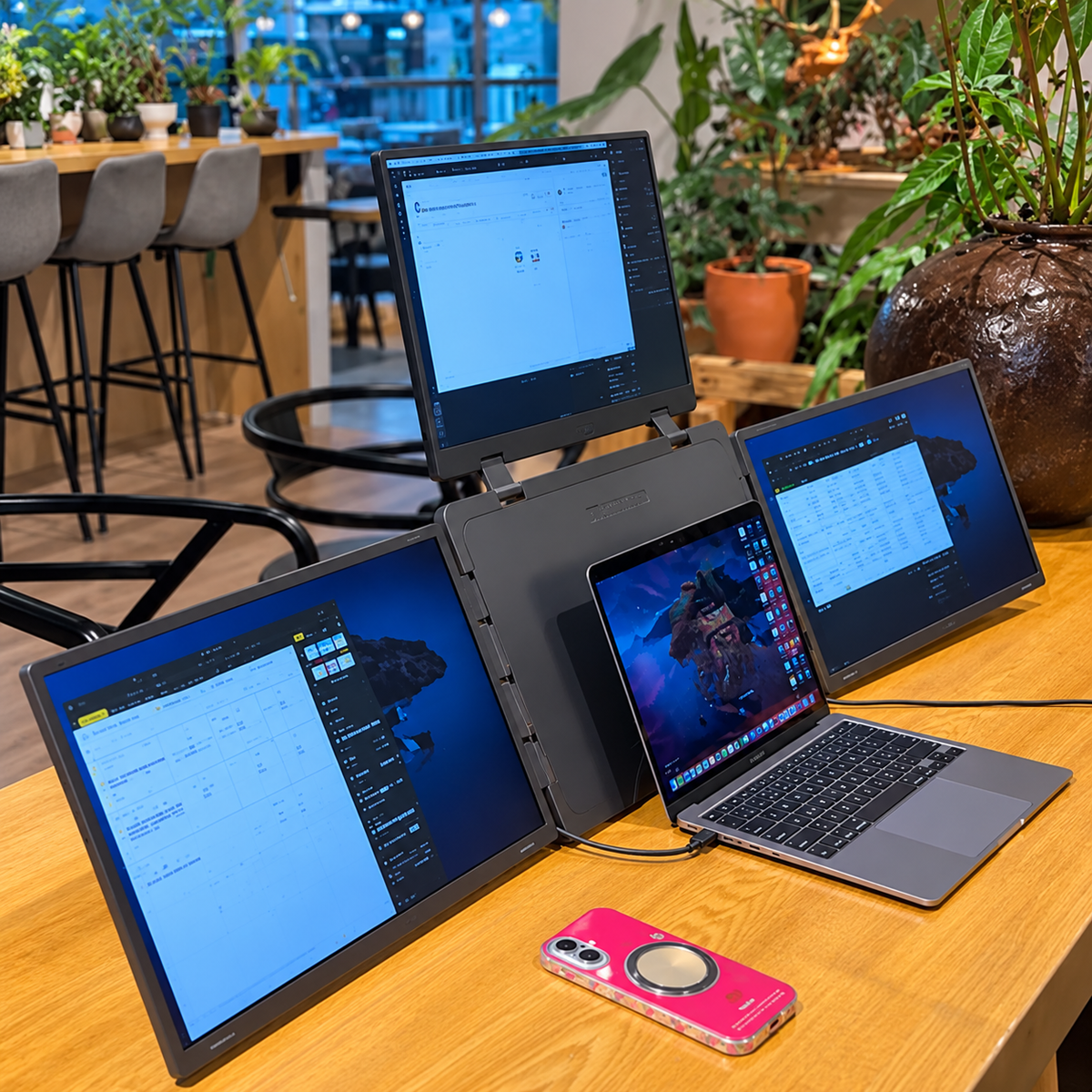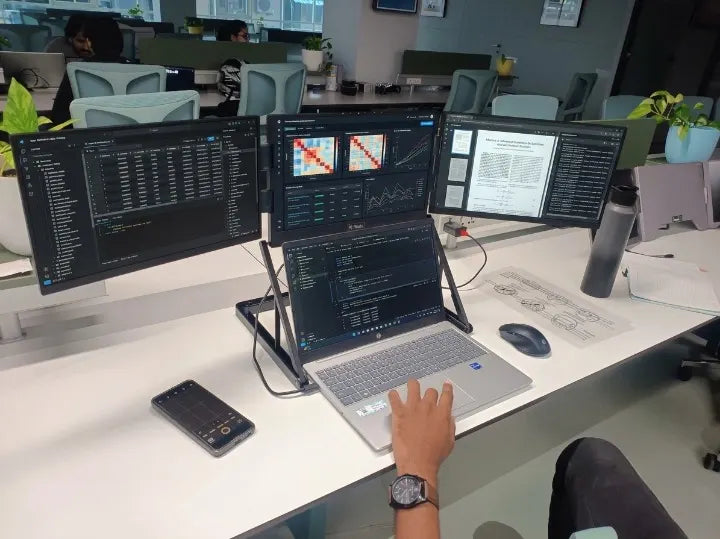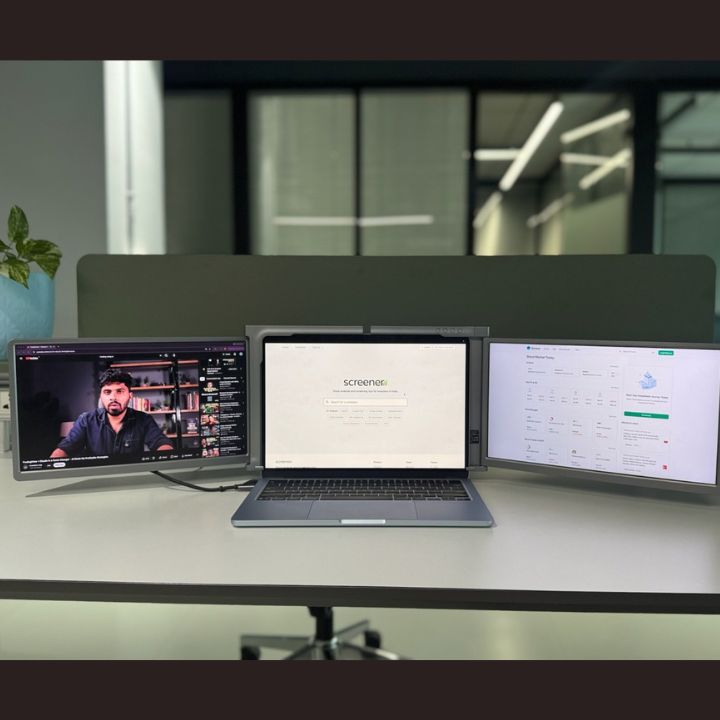

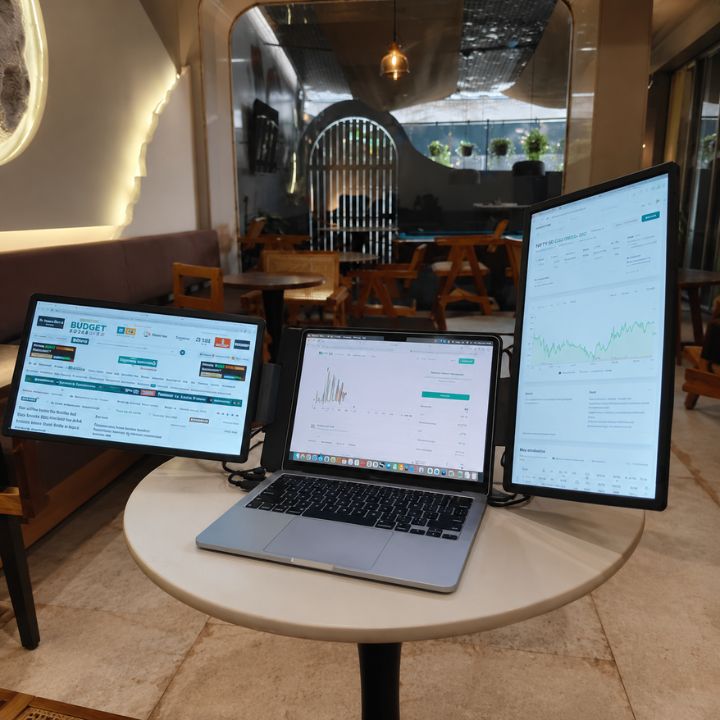
Coding often requires more than one window. Developers regularly switch between code editors, browsers, documentation, terminals, testing tools, and communication apps. Working with all these tools on a single laptop screen can make the workspace feel crowded and lead to constant tab switching. A laptop screen extender for coding gives developers additional screen space while keeping the flexibility of a laptop-based setup. Instead of depending on large desktop monitors, you can expand your workspace with extra portable displays.
The RIITEK 15.6" Tri-Portable Monitor adds two 15.6-inch Full HD IPS displays to your laptop, creating a practical three-screen workspace for coding, testing, research, and other development tasks.
Why Do Developers Need Multiple Screens?
Software development involves much more than writing code. A typical developer may work with an IDE, browser, terminal, documentation, database tools, GitHub, debugging tools, and communication platforms throughout the day.
On a single screen, these applications compete for space. Developers often have to minimize one window before opening another. A RIITEK laptop screen extender provides additional screen space, helping developers organize their tools across multiple displays.
A multi-screen setup makes it easier to separate these tasks. For example:
- Main screen: IDE or code editor
- Second screen: Browser, documentation, or live preview
- Third screen: Terminal, debugging tools, logs, or communication
This creates a cleaner workspace and keeps important information visible while you code.
What Is a Laptop Screen Extender for Coding?
A laptop screen extender for coding is an additional display system designed to expand the available workspace of your laptop.
Unlike a traditional desktop monitor, a portable screen extender is designed for flexibility. It can be useful for developers who work from home, offices, coworking spaces, or while travelling.
A triple-screen setup adds two external displays alongside your laptop's main display. This gives you three separate areas where you can organize different applications according to your workflow.
How Multiple Screens Help With Coding
Keep Code and Live Output Side by Side
Web and application developers frequently need to check the results of their code.
With multiple screens, you can keep your IDE on one display and your browser or application preview on another. This reduces the need to switch back and forth between windows every time you make a change.
It can be particularly useful for front-end developers working with HTML, CSS, JavaScript, and modern web frameworks.
Keep Documentation Visible
Developers regularly use documentation while working with programming languages, frameworks, libraries, and APIs.
Instead of opening documentation over your code, you can keep technical references on a separate screen.
A portable monitor for coding makes it easier to read documentation while continuing to work in your development environment.
Organize Debugging Tools
Debugging may require you to monitor code, logs, terminals, browser developer tools, and application output at the same time.
Multiple displays give each tool more room. You can keep your main code editor visible while monitoring errors or logs on another screen.
A Practical Three-Screen Coding Setup
Having three screens does not mean you need to fill every display with multiple applications. A better approach is to give each screen a clear purpose.
Left Screen – Documentation and Resources
Use this screen for:
- Programming documentation
- GitHub repositories
- API references
- Design files
- Project requirements
- Research
Main Screen – Code Editor
Keep your main development environment in front of you.
This could include Visual Studio Code, IntelliJ IDEA, Android Studio, Xcode, or another IDE you use regularly.
Right Screen – Testing and Debugging
Use the third screen for your browser, terminal, server logs, application preview, or debugging tools.
This simple layout can help create a more organized coding environment.
Benefits for Front-End Developers
Front-end developers regularly move between their code editor, browser, design references, and developer tools.
A triple monitor for laptop setup allows you to separate these activities.
For example, your editor can remain open on the main screen while the website preview stays visible on the second display. The third screen can show a design reference or browser developer tools.
This is especially helpful when testing layouts, reviewing UI changes, and working on responsive web designs.
Benefits for Back-End Developers
Back-end developers also work with several tools simultaneously.
You might be writing server-side code while monitoring database queries, API requests, terminal commands, or server logs.
A laptop screen extender gives you additional space to keep these tools visible instead of stacking several windows on one display.
This can make complex development environments easier to manage.
Benefits for Full-Stack Developers
Full-stack development combines front-end and back-end workflows, which often means even more applications are open simultaneously.
A developer may need to manage:
- Front-end code
- Back-end code
- Browser output
- Database tools
- API testing
- Terminal
- Documentation
Extra screen space helps separate these tasks into dedicated areas.
For developers looking for different screen sizes or configurations, you can also explore all portable monitor and screen extender options from RIITEK to compare setups based on your workspace requirements.
Laptop Screen Extender for Remote Work
Developers no longer work exclusively from permanent office desks.
Remote and hybrid work may involve moving between home, office, client locations, coworking spaces, and other environments.
Traditional desktop monitors provide extra screen space but are difficult to move regularly.
A portable screen extender offers an alternative. You can expand your laptop workspace when required while maintaining the flexibility of a portable setup.
Why a 15.6-Inch Display Works Well for Coding
Screen size matters when reading code, documentation, and terminal output.
A 15.6-inch display provides enough viewing space for common development applications while remaining suitable for a laptop-based workstation.
Full HD resolution also helps keep text and interface elements clear when working with editors, browsers, and other development tools.
The 15.6-inch tri-screen model uses 1920 × 1080 Full HD IPS displays, providing additional workspace without requiring a permanent desktop monitor arrangement.
Connectivity Matters for Developers
Before choosing a laptop screen extender for coding, check the available ports and display-output capabilities of your laptop.
The RIITEK 15.6-inch model supports USB-C and HDMI connectivity, making it suitable for compatible laptop setups. Before purchasing, check whether your laptop's available ports support the required display output.
Checking your laptop's connectivity and compatibility in advance can help you choose the right screen extender for your coding workspace.
Portable Triple Monitor vs Traditional Desktop Monitors
Traditional desktop monitors work well for permanent workstations. However, they require more desk space and are difficult to carry between locations.
A portable triple-screen setup is designed for a different purpose.
It can be useful when you want:
- Multiple screens without a permanent desk setup
- A workspace that can move with your laptop
- Extra screens for remote work
- More room for development tools
- A compact alternative to multiple desktop monitors
The better option depends on whether you prioritize a permanent workstation or portability.
Who Can Benefit From a Laptop Screen Extender?
A multi-screen laptop setup can be useful for many technology professionals, including:
- Software developers
- Front-end developers
- Back-end developers
- Full-stack developers
- Web designers
- App developers
- Data analysts
- IT professionals
- Computer science students
- Remote professionals
If your daily workflow requires several applications to stay open at once, additional screens can make your workspace easier to organize.
What to Check Before Buying a Screen Extender for Coding
Before selecting a portable screen extender, consider a few important factors.
Screen size: Choose a size that provides enough working space while still matching your portability requirements.
Resolution: Full HD resolution can provide clear text and visuals for coding, browsing, and documentation.
Connectivity: Check your laptop's USB-C, Thunderbolt, HDMI, and USB-A ports.
Compatibility: Make sure the display supports your laptop and operating system.
Portability: If you travel frequently, consider the overall size, weight, folding mechanism, and setup requirements.
Viewing flexibility: Adjustable screen positions can help you create a more comfortable working arrangement.
Is a Laptop Screen Extender Worth It for Coding?
If you regularly switch between your code editor, browser, terminal, documentation, and testing tools, additional screen space can make your development environment easier to manage.
A laptop screen extender for coding is especially useful for developers who want multiple displays without being limited to a fixed desktop workstation.
Instead of repeatedly switching between applications, you can keep important tools visible and organize them according to your workflow.
Conclusion
Developers often need to manage code, documentation, browsers, terminals, debugging tools, and communication platforms at the same time. Trying to fit everything onto one laptop display can quickly make the workspace cluttered.
A laptop screen extender for coding gives you more room to separate these tasks and build a cleaner multi-screen development environment.
Whether you're a front-end developer, back-end developer, full-stack programmer, student, or remote professional, RIITEK portable display solutions can help you create a flexible workspace that suits the way you work.
If you need help choosing the right screen setup for your laptop, contact us for product guidance and compatibility assistance.
Frequently Asked Questions
1. Is a laptop screen extender good for coding?
Yes. A laptop screen extender provides additional workspace for code editors, browsers, terminals, documentation, testing tools, and other applications used during development.
2. How many screens are useful for programming?
The ideal number depends on your workflow. A three-screen setup can allow you to keep your IDE on one display, documentation on another, and your browser, terminal, or testing tools on the third.
3. Can I use a portable monitor for programming?
Yes. A portable monitor can provide additional screen space for programming while maintaining the flexibility of a laptop-based setup.
4. Is a triple-screen setup useful for web development?
A triple-screen setup can be useful for web development because you can keep your code, website preview, and documentation or developer tools visible on separate screens.
5. What should I check before buying a laptop screen extender?
Check the screen size, resolution, laptop compatibility, operating system support, USB-C or HDMI connectivity, available ports, weight, and portability before choosing a screen extender.