
Working on a laptop is convenient, but managing multiple applications on a single screen can become challenging. Whether you're preparing reports, analyzing spreadsheets, attending online meetings, or developing software, switching between windows can interrupt your workflow and make everyday tasks more complicated.
A tri-screen laptop extender is designed to address this challenge by adding two external displays to a compatible laptop. It creates a three-screen workstation where you can keep important applications visible and organize your work more effectively.
But how does a tri-screen laptop extender work, what are its benefits, and is it suitable for your daily working requirements?
In this guide, we'll explain how a tri-screen setup works, how it can support different professional activities, and what to consider when choosing a RIITEK portable monitor for your laptop.
What Is a Tri-Screen Laptop Extender?
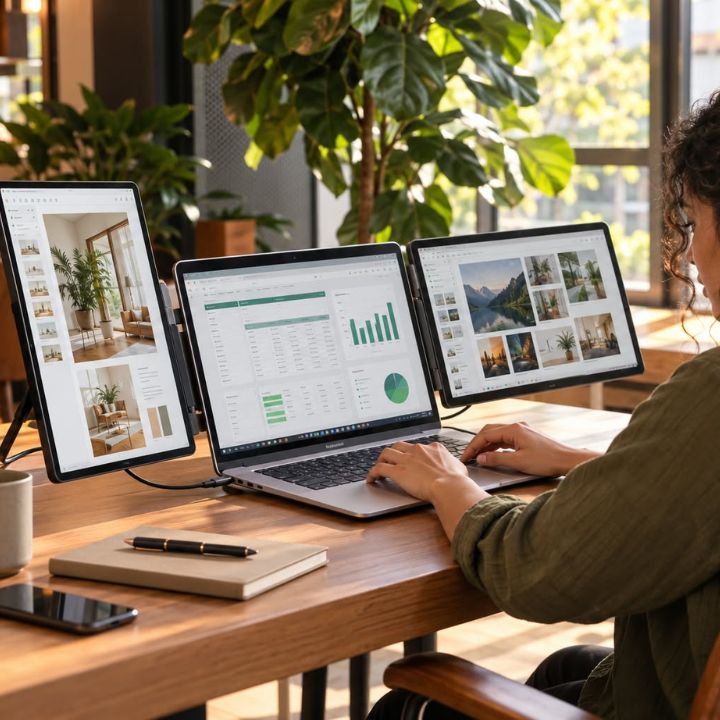
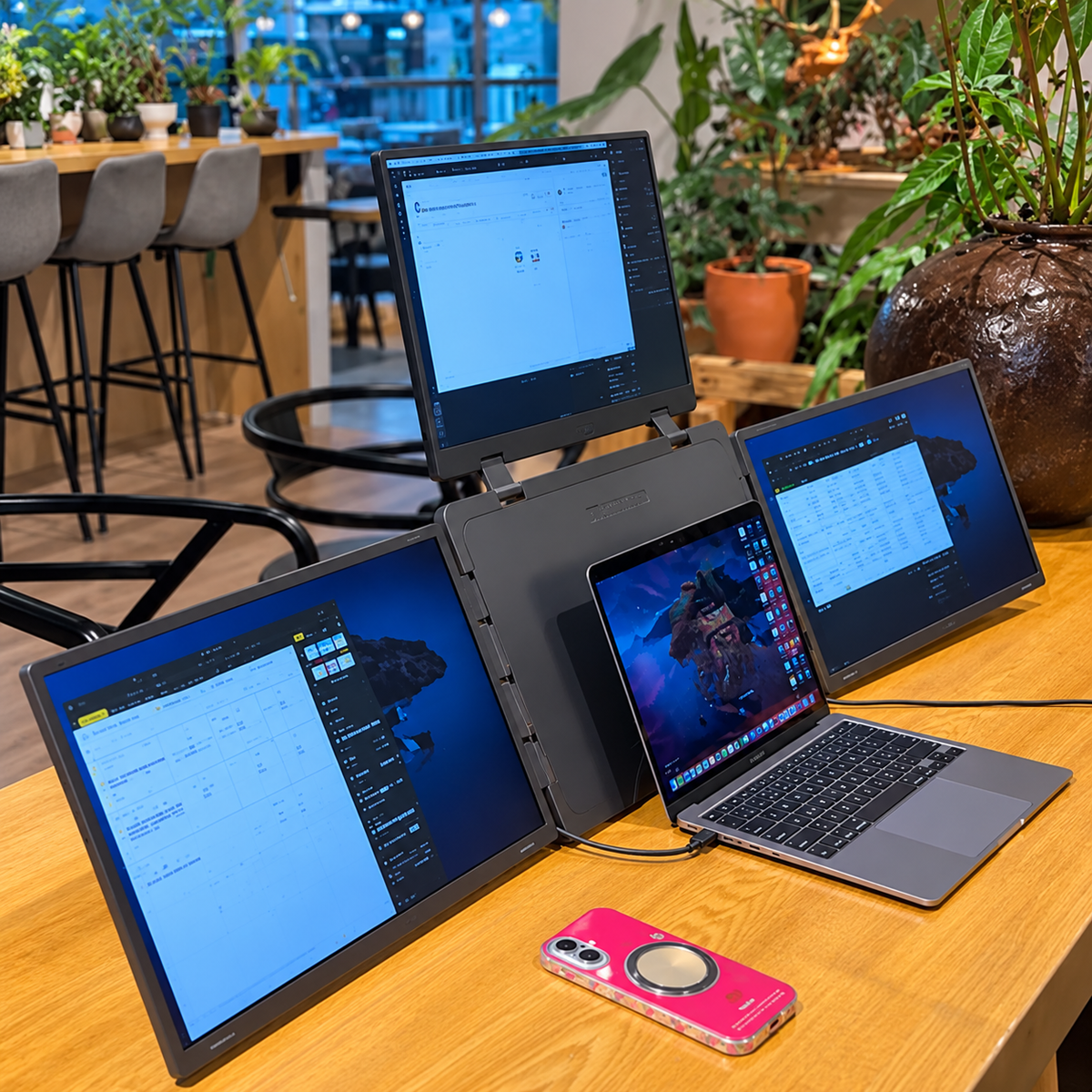
A tri-screen laptop extender is a portable display system that adds two external screens to your existing laptop. Together with the laptop's built-in display, it creates a three-screen workspace that allows users to view multiple applications simultaneously.
Unlike traditional desktop monitors, a tri-screen extender is designed to provide additional display space through an integrated laptop-based arrangement. Depending on the model, it may use USB-C, USB-A, HDMI, or driver-based connectivity.
A tri-screen laptop extender can be useful when you:
- Need to work with multiple applications simultaneously.
- Frequently compare documents, spreadsheets, or reports.
- Want additional display space for coding or research.
- Attend online meetings while accessing supporting information.
- Prefer a portable alternative to a permanent multi-monitor workstation.
However, compatibility depends on the laptop's hardware, operating system, available ports, and the selected extender's requirements.
How Does a Tri-Screen Laptop Extender Work?
A tri-screen laptop extender connects two additional displays to a compatible laptop. Once connected and configured, the operating system can extend the desktop across all three screens.
The basic process is simple:
Laptop → Compatible display connections → Two external screens → Three-screen workspace
1. Connect the Screen Extender to Your Laptop
The extender connects through the supported ports on your laptop. Depending on the model, the setup may require USB-C, USB-A, HDMI, or additional power connections.
2. Install the Required Software if Applicable
Some single-cable laptop screen extenders require driver installation. Other configurations use supported display connections without additional display software.
Always follow the instructions for your selected model.
3. Configure the Display Settings
Once connected, open your laptop's display settings and select the extended desktop mode where supported. Arrange the screens according to their physical positions so you can move applications between them.
4. Organize Applications Across Three Screens
After completing the setup, you can distribute applications according to your working requirements. For example, you can keep your primary task on the laptop screen while using the external displays for documents, dashboards, and reference materials.
Why Do You Need a Tri-Screen Laptop Extender?
A single laptop screen may be sufficient for basic tasks such as browsing, writing emails, or watching videos. However, professionals who work with multiple applications may find the limited display space restrictive.
A screen extender for laptop setup can help create a more flexible workspace without requiring two separate desktop monitors.
A tri-screen setup may be useful if you:
- Frequently switch between multiple browser tabs and applications.
- Work with large spreadsheets, dashboards, or detailed documents.
- Need to compare information from different sources.
- Attend video meetings while preparing notes or presentations.
- Work with coding software, technical documentation, or design tools.
- Move between office and remote working environments.
The main benefit is having more information visible at the same time. However, the effectiveness of the setup depends on how the additional screen space is organized.
How Can a Tri-Screen Laptop Extender Improve Your Daily Workflow?
Additional displays can support everyday computer work by making important applications easier to access. Rather than constantly switching between windows, you can organize your workspace according to the tasks you perform.
RIITEK offers practical display solutions for professionals who want to manage multiple applications and organize their everyday tasks more conveniently.
1. Reduce Unnecessary Window Switching
When working on a single laptop screen, opening one application often hides another. For example, preparing a business report may require reviewing analytics data, updating spreadsheets, and writing a summary.
A portable monitor arrangement allows these applications to remain visible simultaneously. As a result, you can refer to supporting information without repeatedly minimizing or reopening windows.
This can be particularly helpful during tasks that involve frequent document comparisons or data entry.
2. Make Multitasking More Organized
A three-screen workspace allows users to separate their primary work from supporting applications. Instead of crowding several windows onto one display, you can assign different tasks to different screens.
For example:
- Left screen: Research documents, reference materials, or product specifications.
- Main laptop screen: Reports, spreadsheets, coding software, or presentations.
- Right screen: Email, CRM software, communication tools, or dashboards.
This arrangement can be adjusted depending on your responsibilities and the applications you use most frequently.
3. Simplify Document Comparison and Data Analysis
Many professional tasks require comparing information from multiple sources. Accountants may review invoices against purchase orders, while analysts may verify figures across different spreadsheets.
With additional displays, source documents can remain visible while information is entered or reviewed in another application. This can make it easier to identify differences and check details without repeatedly switching windows.
Although multiple screens do not guarantee greater accuracy, they can support a more systematic review process.
4. Support Online Meetings and Presentations
Online meetings often involve more than participating in a video call. Professionals may need to review presentations, access documents, and record important discussion points simultaneously.
A tri-screen setup provides separate viewing areas for these activities. For example, the meeting application can remain open on the laptop screen while supporting documents and notes are displayed externally.
This can make it easier to follow discussions and complete meeting-related tasks without repeatedly rearranging applications.
5. Create a More Flexible Working Environment
Traditional desktop monitors are generally designed for permanent workstations. Although they provide additional viewing space, moving them between locations can be inconvenient.
A portable display offers a flexible alternative for laptop users who work from different locations. A compatible tri-screen extender can provide additional screen space wherever suitable desk space and power connections are available.
However, users should consider the extender's dimensions, weight, compatibility, and connection requirements before choosing a model for frequent travel.
Who Can Benefit From a Tri-Screen Laptop Extender?
A three-screen workstation can support professionals across different industries. However, the most useful arrangement depends on the applications and information required for each task.
RIITEK focuses on flexible workspace solutions that support different professional requirements, from business operations to creative and technical work.
Additional screens can improve productivity across various professions by making it easier to manage multiple applications and tasks simultaneously. Software developers can keep code editors, documentation, and browser previews visible while working on projects. Digital marketers can monitor analytics, advertising platforms, and spreadsheets to compare campaign performance and prepare reports efficiently. Financial analysts can review spreadsheets, financial reports, and research materials across multiple displays. Sales professionals can access CRM systems, customer information, quotations, and product details while preparing documents. Content creators can organize editing tools, reference materials, and previews across different screens for a smoother creative workflow. Similarly, researchers can compare documents, review research materials, and take notes without constantly switching between windows. Overall, additional screens help professionals organize their workspaces, reduce unnecessary window switching, and streamline everyday workflows.
For users who regularly work with several applications, a multiple screens for laptop arrangement can provide a more convenient way to manage daily responsibilities.
How to Choose the Right Tri-Screen Laptop Extender
Choosing a tri-screen laptop extender isn't simply about selecting the largest display. Laptop compatibility, screen size, resolution, connectivity, and portability should all be considered.
1. Check Your Laptop Compatibility
Compatibility is one of the most important factors when selecting a laptop screen extender. Not every laptop supports the same number of external displays or connection methods.
Before purchasing, check:
- Laptop model and operating system.
- Available USB-C, USB-A, and HDMI ports.
- Supported external display outputs.
- Driver installation requirements.
- Power and connection requirements.
Checking these details helps you determine whether the selected model is suitable for your laptop.
2. Choose According to Display Size
Screen size affects viewing space, portability, and everyday usability. Smaller displays may be more convenient for compact workstations, while larger displays provide additional room for detailed applications.
The Tri-Screen Collection includes the following size options:
RIITEK Tri-Screen Laptop Extenders are available in different sizes and connectivity configurations to suit various professional needs. The 13.3-inch Tri-Screen model features a single-cable, driver-based connection, making it suitable for compact laptop workspaces. The 14-inch Tri-Screen model uses a double-cable connection and is ideal for everyday office work and business tasks. The 15.6-inch Tri-Screen model also supports a double-cable setup, providing additional screen space for managing reports, spreadsheets, and detailed applications. For professionals who prefer larger multi-display workspaces, the 16-inch Tri-Screen model offers a single-cable, driver-based connection. Each model has different connectivity, compatibility, and installation requirements. Therefore, it is important to review your laptop's specifications, available ports, and the model's setup requirements before purchasing to ensure a smooth and compatible multi-screen experience.
These configurations have different compatibility and setup requirements. Therefore, always review the individual product specifications before purchasing.
Explore the Tri-Screen Laptop Extender Collection to compare available models.
3. Consider Display Resolution and Quality
Resolution affects how much information can be displayed and how clearly text and application elements appear. IPS displays also provide wide viewing angles, which can be useful when working with external screens positioned beside a laptop.
For example, the RIITEK 16-inch Tri-Screen Laptop Extender features two additional 16-inch IPS displays with 1920 × 1200 resolution and a 16:10 aspect ratio.
The additional vertical viewing space can be useful for reading documents, reviewing spreadsheets, and working with applications that contain multiple panels.
4. Understand Connectivity Requirements
Different tri-screen extenders use different connection configurations. Some models require multiple cables, while certain single-cable models use software-based display functionality.
Before selecting a model, confirm whether your laptop supports the required connections and whether driver installation is necessary.
5. Compare Portable Monitor Price and Features
When comparing portable monitor price options, consider the overall features rather than focusing only on the cost.
Important factors include:
- Display size and resolution.
- Laptop compatibility.
- Connection type and driver requirements.
- Portability and product dimensions.
- Warranty and after-sales support.
Choosing a model that matches your working requirements can be more useful than selecting one solely because it has a lower price.
How to Set Up a Comfortable Three-Screen Workspace
A three-screen workstation should be arranged carefully to support comfortable everyday use. Once the displays are connected, adjusting their positions and settings can help make applications easier to access.
Follow these practical tips:
-
Arrange the displays correctly: Match the screen arrangement in your operating system with their physical positions.
-
Adjust display scaling: Choose a comfortable text size and resolution for each screen.
-
Maintain suitable viewing angles: Position the displays to reduce unnecessary neck movement.
-
Organize applications: Keep primary work and supporting information in separate viewing areas.
-
Limit unnecessary distractions: Close unrelated applications and manage notifications.
-
Take regular breaks: Avoid prolonged computer use without sufficient rest.
These adjustments can help create a more convenient and organized multi-screen workspace.
Is a Tri-Screen Laptop Extender Worth Buying?
A tri-screen laptop extender may be worth considering if your daily work regularly involves several applications, detailed documents, or information from multiple sources.
For example, developers, digital marketers, financial analysts, researchers, and sales professionals may benefit from keeping important applications visible simultaneously. However, users who mainly perform simple browsing or basic document editing may find a single laptop screen sufficient.
RIITEK provides different display configurations, allowing users to explore options based on their workspace preferences, laptop compatibility, and daily requirements.
Before purchasing, consider how frequently limited screen space affects your workflow. You should also review your laptop compatibility, available desk space, preferred screen size, and budget.
To explore different display solutions, visit the RIITEK official website and compare the available portable monitor configurations.
Conclusion
A tri-screen laptop extender can be a practical solution for professionals who want to organize their daily tasks and work more efficiently. By expanding a laptop into a three-screen workstation, users can manage multiple applications, compare documents, analyze data, and access important information without constantly switching between windows.
Whether you're a software developer, digital marketer, financial analyst, content creator, or remote professional, having additional screen space can make everyday work more convenient and organized. However, choosing the right portable monitor depends on your laptop compatibility, display size, connectivity requirements, and budget.
Explore the available models and choose a setup that supports your daily working requirements. For assistance with product selection or laptop compatibility, contact RIITEK and take the next step toward a more flexible and productive working environment.
Frequently Asked Questions About Tri-Screen Laptop Extenders
1. How does a tri-screen laptop extender improve productivity?
A tri-screen laptop extender allows users to manage multiple applications across three screens, reducing frequent window switching. It helps organize tasks and makes multitasking more convenient.
2. Is a tri-screen laptop extender compatible with all laptops?
Not all laptops support tri-screen extenders. Compatibility depends on the operating system, available ports, graphics capabilities, and connection requirements.
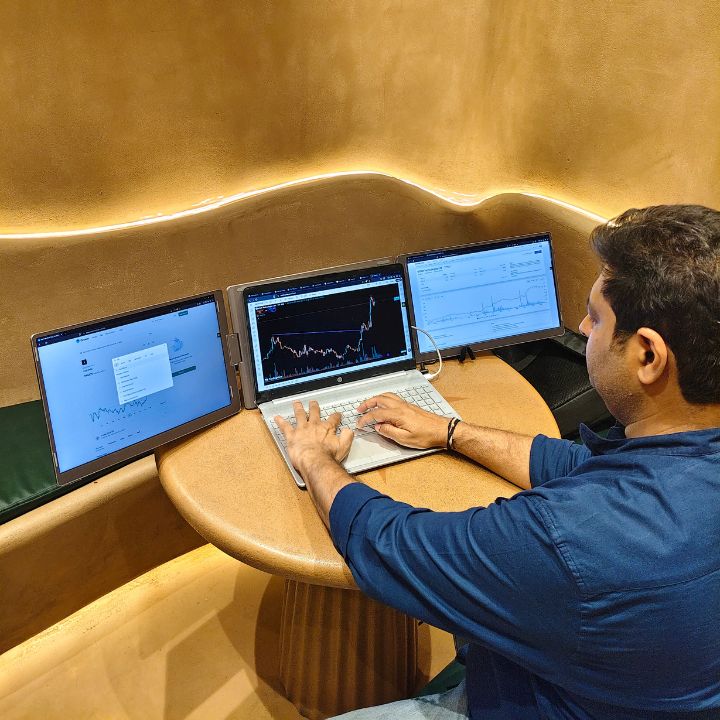
3. Can I use a tri-screen laptop extender for coding, trading, and office work?
Yes, a tri-screen laptop extender is useful for coding, trading, data analysis, and office tasks. It allows users to view multiple applications, charts, and documents simultaneously.
4. Does a tri-screen laptop extender require additional software?
Some models require driver installation, while others work through supported display connections. Software requirements depend on the selected model and laptop compatibility.
5. What should I consider before buying a tri-screen laptop extender?
Consider laptop compatibility, display size, resolution, connectivity, portability, and warranty. Choose a model that suits your daily workflow and budget.