
A laptop is convenient for work, travel, and everyday tasks. However, a single screen can become limiting when you need to manage multiple applications at once. A dual screen monitor for laptop gives you extra workspace without requiring a large desktop setup.
With two screens, you can keep more information visible, reduce window switching, and organize your workflow more efficiently.
What Is a Dual Monitor Setup for Laptop?
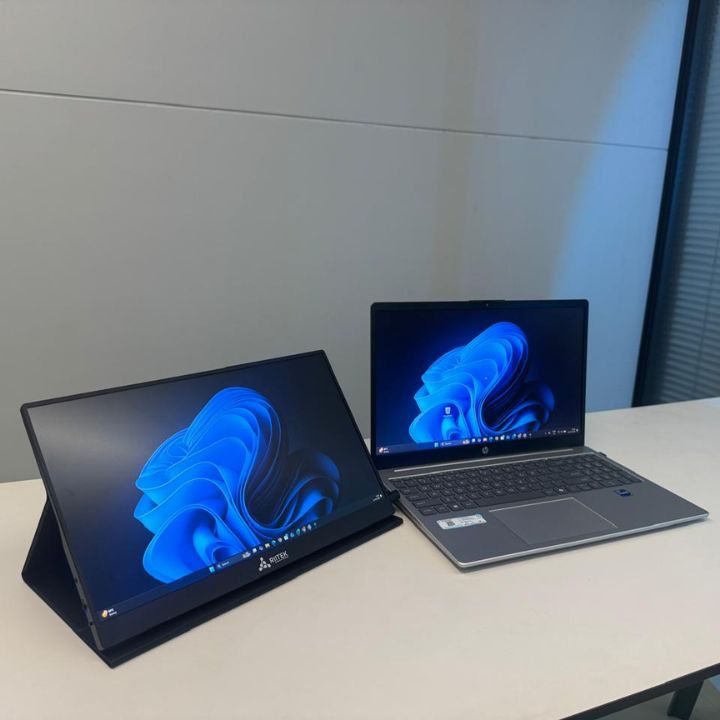
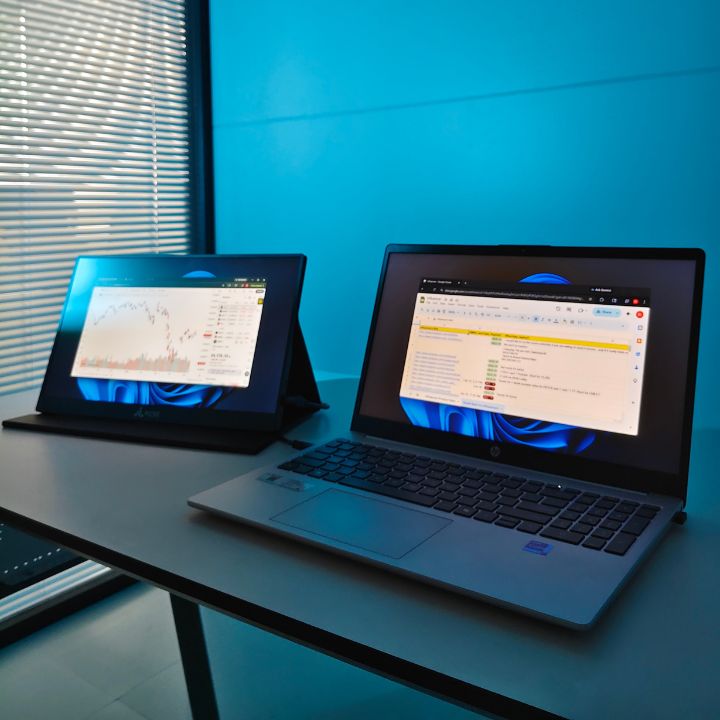
A dual monitor setup for laptop combines your laptop's built-in display with an additional monitor. This allows you to use two screens at the same time.
For example, you can keep a video meeting, email, or communication app on one screen while working on documents, spreadsheets, research, or other applications on the second screen.
This setup is useful for professionals, students, traders, developers, content creators, and anyone who regularly multitasks.
Why Add a Second Screen?
The main benefit of a dual screen monitor for laptop is the additional workspace. Instead of constantly switching between windows, you can keep important applications open and visible.
A two-screen setup can help with:
-
Managing multiple applications
-
Comparing documents and information
-
Monitoring dashboards and data
-
Attending online meetings while taking notes
-
Coding while viewing documentation
-
Researching while writing
-
Managing business tasks more efficiently
Choosing the Right Portable Display
A portable dual monitor for laptop can be useful if you work from different locations. Traditional monitors can be bulky and require dedicated desk space.
A portable display can provide additional screen space while keeping your workstation flexible. It can be useful in an office, at home, while travelling, or when working from a temporary workspace.
RIITEK offers portable display solutions designed for users who want to expand their laptop workspace without moving to a traditional desktop monitor setup.
Portable Display vs. Traditional Monitor
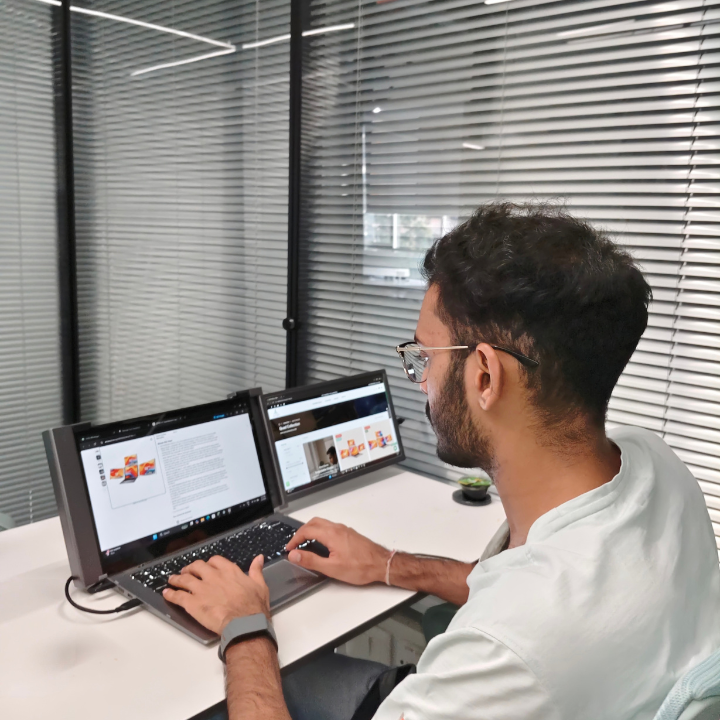
A laptop screen extender is designed to add an additional display around your laptop. This creates a more compact workstation than carrying a separate desktop monitor.
For people who frequently move between locations, a laptop screen extender can provide extra workspace without requiring a permanent desk setup.
RIITEK's portable display solutions are designed with this type of flexible working environment in mind, helping users create an expanded workspace while maintaining portability.
How to Connect an Additional Display
Setting up a second monitor for laptop depends on your laptop's ports and display capabilities.
Before connecting a monitor, check whether your laptop supports video output through USB-C, HDMI, or another compatible connection.
After connecting the display:
-
Connect the monitor to your laptop.
-
Open your laptop's display settings.
-
Select the option to extend your display.
-
Arrange the screens according to their physical position.
-
Adjust the resolution and display settings if required.
Once configured, you can move applications between both screens and create a workspace that matches your workflow.
Who Can Benefit From Two Screens?
A dual display for laptop can be useful across many types of work.
For business users, one screen can be used for communication while the other handles documents or spreadsheets. Traders can view charts and market information alongside research or other applications.
Developers can keep their code open on one screen while viewing documentation or testing applications on the other. Content creators can also use the additional screen for reference material, editing tools, or project management.
Create a Flexible Workspace With RIITEK
A portable monitor for laptop can make it easier to create a larger workspace without carrying a traditional monitor.
The RIITEK 14-inch Dual Display is designed to provide an additional display for compatible laptops. Its compact design helps users create a two-screen workspace while maintaining portability.
It can be a practical option for professionals who want additional screen space for work, multitasking, and productivity without setting up a permanent monitor station.
Tips for Organizing Your Workspace
Getting the most from a two-screen setup depends on how you organize your screens.
Keep your primary task on the main laptop display and use the second screen for supporting information. You can also place communication apps, reference documents, dashboards, or monitoring tools on the secondary display.
Adjust the screen position and brightness so both displays are comfortable to use. A well-organized setup can make it easier to move between applications throughout the day.
Final Thoughts
A dual screen monitor for laptop can transform a standard laptop into a more flexible workspace. With an additional display, you can keep more applications visible, reduce unnecessary window switching, and manage multiple tasks more comfortably.
Riitek makes it easier to explore portable display options for users who want to expand their laptop workspace while keeping their setup flexible.
Whether you work in business, trading, coding, content creation, or general office work, a two-screen setup can give you the extra workspace needed for a more organized workflow.
Before choosing a display, check your laptop's compatibility, available ports, screen size, resolution, and portability requirements. With the right setup, you can create a practical workstation wherever you work.
If you’re looking for a dual screen monitor for laptop or want to explore a portable dual-display setup for your work, get in touch with RIITEK. Our team can help you find a suitable display based on your laptop and requirements.
Frequently Asked Questions
1. What is a dual screen monitor for laptop?
A dual screen monitor for laptop adds an extra display to your laptop, giving you more screen space for multitasking, research, communication, and other work.
2. Can I connect a second monitor to my laptop?
Yes, compatible laptops can connect to an additional display through supported ports such as USB-C or HDMI. Always check your laptop's display compatibility before connecting a monitor.
3. What is a laptop screen extender?
A laptop screen extender is a portable display designed to expand your laptop's workspace. It allows you to use an additional screen without carrying a traditional desktop monitor.
4. Is a dual monitor setup useful for work?
Yes. A dual monitor setup can help you keep multiple applications visible at the same time. It can be useful for office work, trading, coding, content creation, research, and online meetings.
5. Is the RIITEK 14-inch Dual Display portable?
Yes. The RIITEK 14-inch Dual Display is designed as a portable solution for compatible laptops, allowing users to expand their workspace without setting up a traditional external monitor.