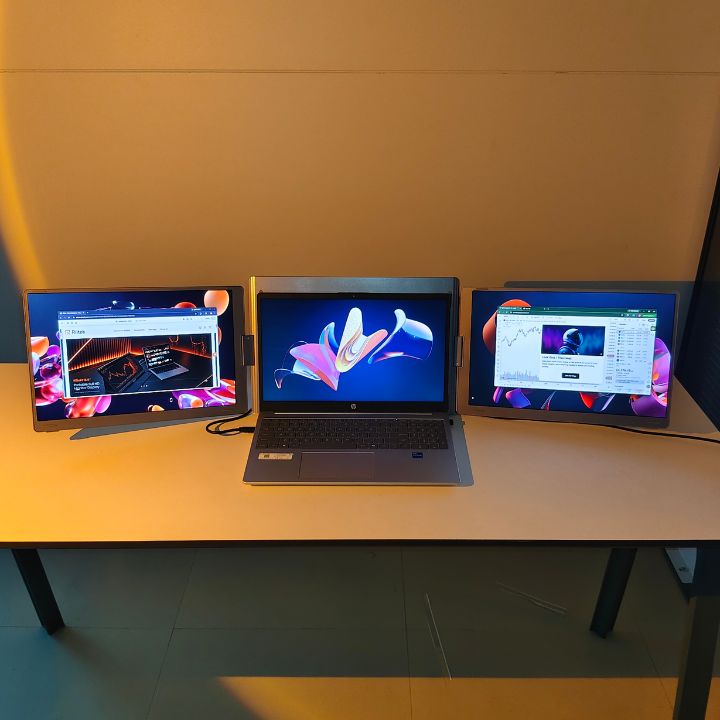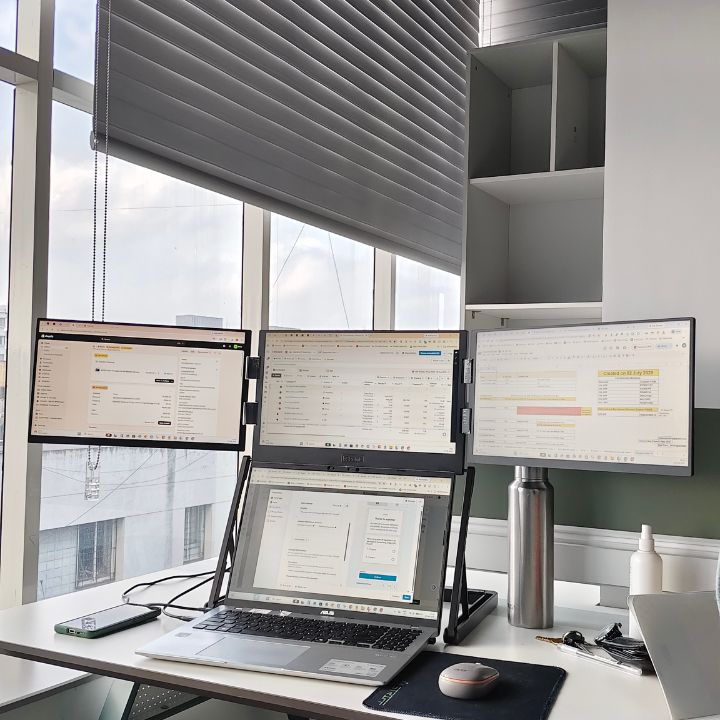

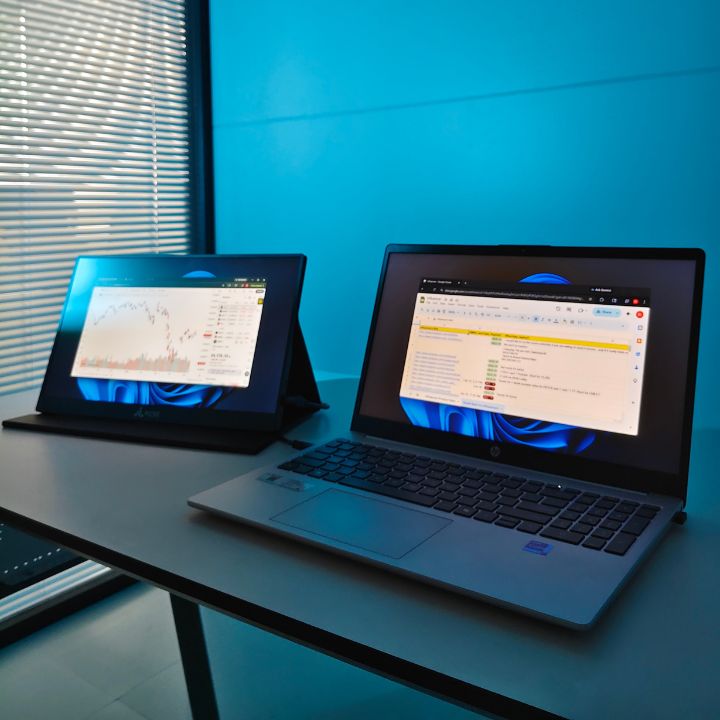
A touchscreen portable monitor for work can make a laptop workspace more flexible by giving you additional screen space and direct touch interaction. Whether you work from home, travel frequently, attend online meetings, manage multiple applications, or need extra space for creative tasks, a portable touchscreen display can help you build a more convenient workspace. The RIITEK Touch 15.6 combines a 15.6-inch Full HD IPS display with 10-point capacitive touch, USB-C and HDMI connectivity, and a lightweight design, making it a practical option for compatible laptop and work setups. Explore the RIITEK Touch 15.6 to learn more about its features and connectivity options.
What Is a Touchscreen Portable Monitor for Work?
A portable touchscreen monitor is an external display that can be connected to a compatible laptop, computer, smartphone, or other supported device. Unlike a conventional external display, it allows users to interact directly with supported content using touch.
For work, an additional display can be useful for keeping emails, documents, browser windows, communication tools, dashboards, or reference material visible while you continue working on your main laptop screen.
A 15.6-inch display provides a useful balance between viewing area and portability. The RIITEK Touch 15.6 features a Full HD 1920 × 1080 IPS display, 60Hz refresh rate, 178° viewing angle, and lightweight construction.
Benefits of Using a Touchscreen Portable Monitor for Work
1. Create More Workspace
A portable monitor for work can give you additional screen space when your laptop display feels crowded. You can keep a video meeting, spreadsheet, email inbox, browser, or reference document on the external display while using the laptop screen for your primary task.
This can make multitasking more organized and reduce the need to constantly switch between different applications.
2. Interact Directly With the Screen
One of the main advantages of a touchscreen monitor for laptop use is direct interaction with compatible applications.
Instead of relying only on a mouse or trackpad, you can tap and navigate supported content directly on the external display. The RIITEK Touch 15.6 features 10-point capacitive touch technology.
Touch interaction can be useful for presentations, dashboards, visual applications, supported creative workflows, and other tasks where direct screen interaction is convenient.
3. Build a Flexible Workstation
A portable touchscreen display can be moved between your home office, workplace, co-working space, or travel setup.
Unlike a permanent desktop monitor, a portable display can be packed away when you finish working and taken with you when additional screen space is needed.
If you want to compare other portable display solutions, you can explore the RIITEK Portable Monitor Collection.
How Can a Touchscreen Monitor Improve Productivity?
A touchscreen monitor for productivity can be useful for different types of professional workflows.
Remote Work
Remote professionals can use an additional display for video calls, calendars, email, communication applications, documents, and project management tools while keeping their laptop screen available for focused work.
Office Work
An additional display can help with spreadsheets, research, documentation, presentations, and other tasks that require information from multiple applications at the same time.
Creative Work
Designers, content creators, and other visual professionals may find direct touch interaction useful with compatible applications. A touchscreen display provides another way to interact with visual content alongside a keyboard, mouse, or trackpad.
Trading and Data Monitoring
Professionals who regularly work with charts, dashboards, analytics, or other data can use an additional screen to keep important information visible while working on another application.
How to Set Up a Touchscreen Portable Monitor
Setting up a portable touchscreen display depends on the laptop, operating system, and available connection ports.
The RIITEK Touch 15.6 supports USB-C and HDMI connectivity. With a compatible USB-C connection that supports DisplayPort Alt Mode and the required power/data capabilities, one USB-C cable can provide video, touch data, and power.
When using HDMI for video, a separate USB connection is required for touchscreen data. Depending on the device and setup, additional power may also be necessary.
Before connecting your monitor, check:
- Whether your laptop supports USB-C video output
- Whether your laptop has an HDMI port
- Whether the required USB connection is available
- Whether your operating system supports external touch input
-
Whether additional power is required
What to Look for in a 15.6 Inch Portable Touchscreen Monitor
When choosing a 15.6 inch portable touchscreen monitor, consider the features that match your daily work requirements.
Display Quality
Look at the resolution, panel type, viewing angle, brightness, color performance, and refresh rate. A Full HD IPS display can provide a practical combination of image quality and viewing flexibility for everyday work.
The RIITEK Touch 15.6 features a 1920 × 1080 Full HD IPS display with a 178° viewing angle and 60Hz refresh rate.
Touchscreen Technology
Consider how you plan to use the touch functionality and whether your operating system supports the touch features you need.
This is particularly important for Mac users. External touchscreen functionality on macOS can differ from Windows, and multi-touch gestures are not natively supported in the same way as on a touchscreen Windows device.
Before purchasing, check your laptop model and operating-system compatibility.
Connectivity
USB-C can provide a convenient connection when the laptop supports compatible video output. HDMI can also be useful for devices that do not provide video output through USB-C.
Understanding your laptop's available ports can help you choose the right connection method and avoid unnecessary adapters.
Portability
If you regularly move between different work locations, the monitor's weight and physical design are important considerations.
The RIITEK Touch 15.6 is designed as a portable display, making it suitable for users who want additional screen space without committing to a permanent desktop monitor.
How Can You Use a Portable Monitor for Laptop Work?
A portable monitor for laptop can be used in several ways depending on your workflow.
You can use the laptop display for your main application while keeping email or communication tools on the second screen. For research, you can keep reference material open on one display while writing or editing on the other.
During online meetings, the additional display can show the meeting window while your laptop screen remains available for notes or documents.
For presentations, a second display can also help you manage presentation material while keeping other work accessible.
Touchscreen Portable Monitor vs. Regular Portable Monitor
Both types of displays can provide additional screen space, but a touchscreen model adds direct touch interaction where supported.
A regular portable monitor for laptop users may be sufficient if the primary goal is simply to increase available screen space. A touchscreen model can provide an additional interaction method for compatible applications and workflows.
The right option depends on how you work, which devices you use, and whether touchscreen interaction is important to you.
Is a Touchscreen Portable Monitor Useful for Remote Work?
A touchscreen display can be a useful addition to a remote-work setup when you need more screen space without installing a permanent monitor.
It can help you keep multiple applications visible, work with documents and spreadsheets, participate in video meetings, and move your workspace between locations.
For people who frequently work from different places, portability can be particularly useful because the monitor can be stored or transported when it is not needed.
Who Can Benefit From a Touchscreen Portable Monitor?
A portable touchscreen display can be useful for:
- Remote workers
- Business professionals
- Students
- Designers
- Developers
- Traders
- Content creators
- Frequent travelers
- Professionals who regularly multitask
The ideal setup will depend on your laptop's compatibility, available ports, operating system, applications, and preferred working style.
Why Choose RIITEK for Portable Display Solutions?
RIITEK develops portable display solutions designed to make laptop-based workspaces more flexible and convenient. Its range of portable monitors and extendable display solutions is designed for users who need additional screen space for work, multitasking, entertainment, and everyday productivity.
With a focus on practical features, portability, and flexible connectivity, RIITEK offers display solutions for professionals, remote workers, students, creators, and other users who want to expand their laptop workspace. The RIITEK Touch 15.6 is one such solution, combining a 15.6-inch Full HD IPS display with touchscreen functionality in a portable design.
Final Thoughts
A touchscreen portable monitor for work can be a practical way to expand a laptop workspace while adding the convenience of direct touch interaction. It can support different work situations, including remote work, multitasking, presentations, research, creative activities, and data monitoring.
When choosing a portable display, consider how you plan to use it, which devices you need to connect, the available ports on your laptop, and the touchscreen features supported by your operating system. A suitable combination of display quality, connectivity, portability, and compatibility can make your workspace more flexible.
If you are looking to buy a touchscreen portable monitor for your laptop or work setup, explore the RIITEK Touch 15.6 and choose a display that fits your requirements. If you have questions about the product, compatibility, connectivity, or setup, Contact RIITEK for assistance.
Frequently Asked Questions
1. What is a touchscreen portable monitor used for?
A touchscreen portable monitor provides additional screen space while allowing direct interaction with compatible content. It can be useful for remote work, multitasking, presentations, creative tasks, entertainment, and other laptop-based activities.
2. Can I use a touchscreen portable monitor with a laptop?
Yes. A compatible laptop can connect to a touchscreen portable monitor through supported USB-C or HDMI connections. The exact setup depends on the laptop's ports, operating system, and display capabilities.
3. Is a touchscreen portable monitor useful for work?
Yes. It can provide additional workspace for applications such as email, spreadsheets, documents, video meetings, browsers, and project-management tools. This can make multitasking more convenient without requiring a permanent desktop monitor.
4. Can I connect a touchscreen portable monitor with one USB-C cable?
A single USB-C cable can be used when the laptop's USB-C port supports the required video output, power, and data capabilities. In a compatible setup, one cable can handle the display signal, touch data, and power.
5. Can I use a touchscreen portable monitor with a MacBook?
Compatible MacBook models can use a touchscreen portable monitor as an external display. However, touchscreen functionality and multi-touch support can differ between macOS and Windows, so it is important to check compatibility before choosing a monitor.
6. What should I check before buying a touchscreen portable monitor?
Check the display resolution, panel type, touchscreen technology, connectivity options, operating-system compatibility, size, weight, power requirements, and compatibility with your laptop. These factors can help you choose a monitor that fits your specific work setup.