
Working on a laptop is convenient, but a single screen can feel limiting when you need to compare documents, monitor data, attend online meetings, research information, or manage several applications at once. A laptop screen extender 18.5 inch can give you a larger and more flexible workspace without replacing your laptop. For professionals who need even more screen space, a quad-screen solution can turn a laptop into a portable multi-screen workstation.
What Is a Laptop Screen Extender 18.5 Inch?
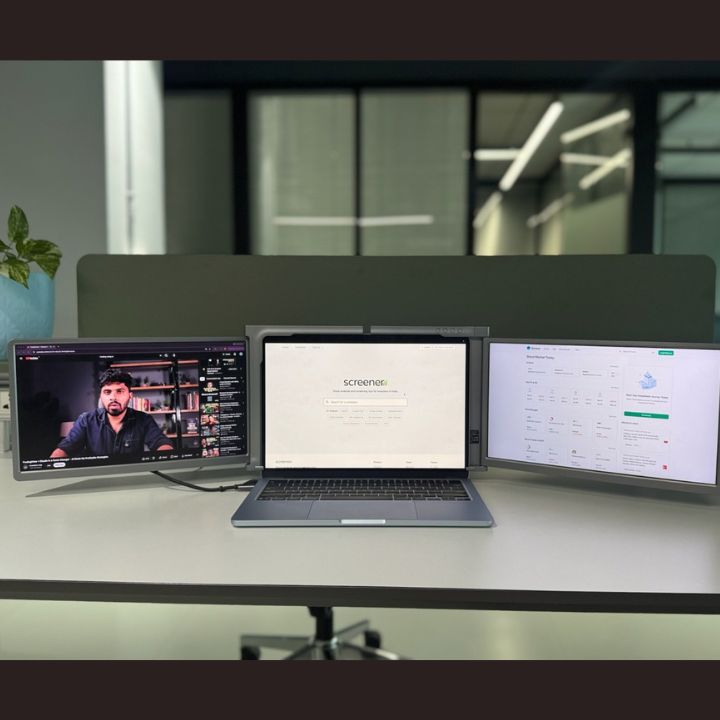
A laptop screen extender 18.5 inch is an additional display designed to expand the usable screen area of a laptop. Instead of switching constantly between windows on one display, users can place different applications on separate screens. This makes it easier to view information side by side and organize a busy workflow. An 18 inch portable display can be useful for professionals, students, traders, developers, designers, content creators, and anyone who regularly works with multiple applications. When combined with additional displays, it can also support a multi screen laptop setup for more demanding workflows.
An 18 inch portable display can be useful for professionals, students, traders, developers, designers, content creators, and anyone who regularly works with multiple applications. When combined with additional displays, it can also support a multi screen laptop setup for more demanding workflows.
Why Choose an 18 Inch Portable Monitor?
Screen size matters when you spend several hours working with spreadsheets, dashboards, documents, timelines, or other detailed content. An 18 inch portable monitor provides more viewing area than many compact laptop displays while keeping the setup practical for a mobile workspace.
- More room for applications and browser tabs
- Better side-by-side viewing of documents and data
- A more organized workspace for multitasking
- Useful screen space for presentations, research, and creative work
- A practical option for users who need a larger portable display
How a Portable Monitor for Laptop Improves Productivity
A portable monitor for laptop can reduce the need to repeatedly minimize and reopen windows. You can keep your main task on the laptop and move supporting information to the additional display. For example, a writer can keep a document on one screen and research on another. A developer can use one display for code and another for documentation or testing.
The biggest advantage is workflow organization. Instead of treating your laptop as one small workspace, you can create separate areas for communication, research, reference material, and active work.
Extended Screen for Laptop: Common Use Cases
Office Work:
Keep email, documents, spreadsheets, communication tools, and project dashboards visible at the same time.
Trading and Finance:
Monitor charts, market information, watchlists, news, and analysis across separate
screens.
Programming:
Use one screen for coding and another for documentation, terminal windows, previews, or
development tools.
Design and Content Creation:
Keep the main creative application open while using additional screen space for references, timelines, assets, or controls.
Students and Researchers:
Read reference material while taking notes or preparing assignments without
repeatedly changing windows.
Remote Work:
Keep meetings or communication tools visible while continuing your primary task on
another display.
What Is a Quad Monitor for Laptop?
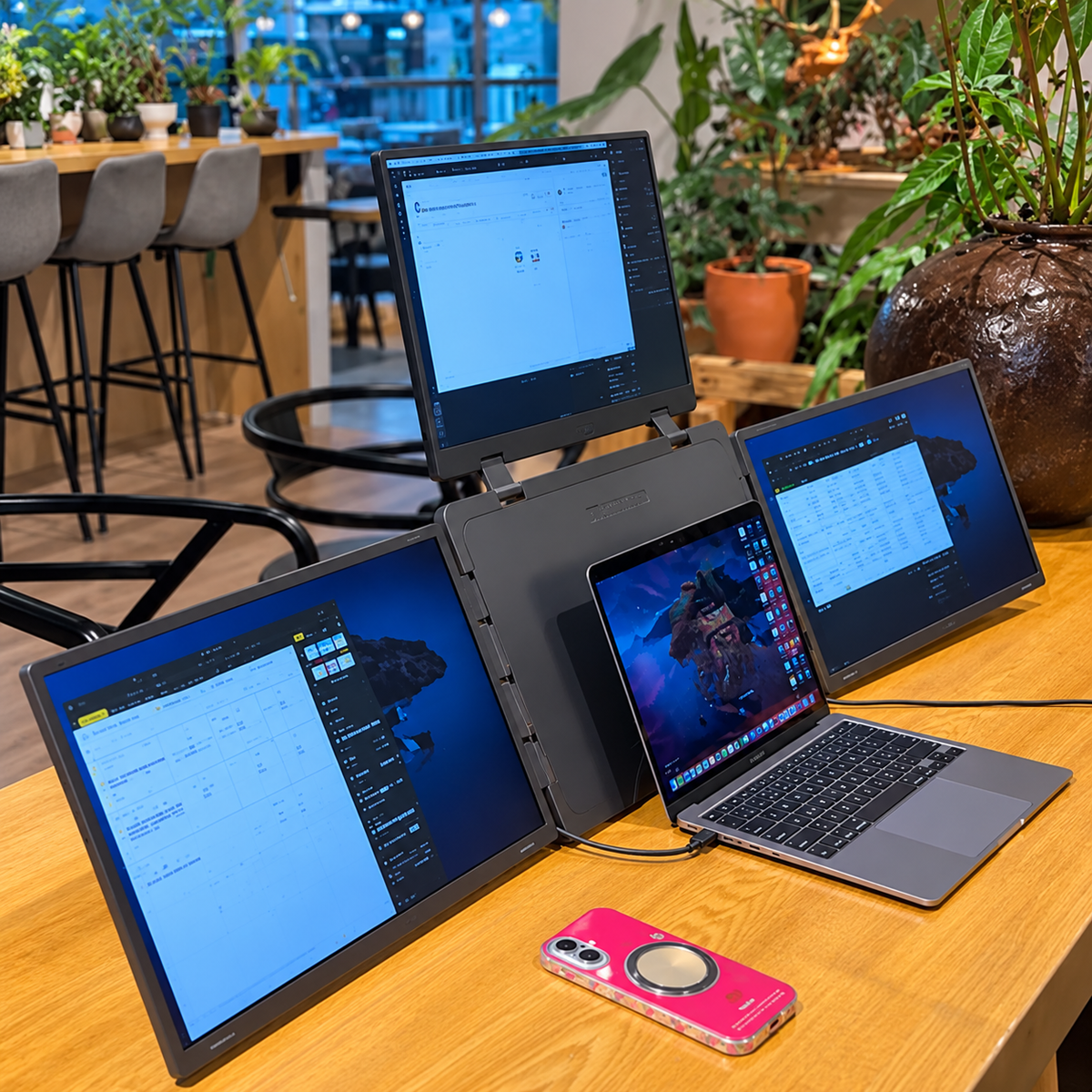
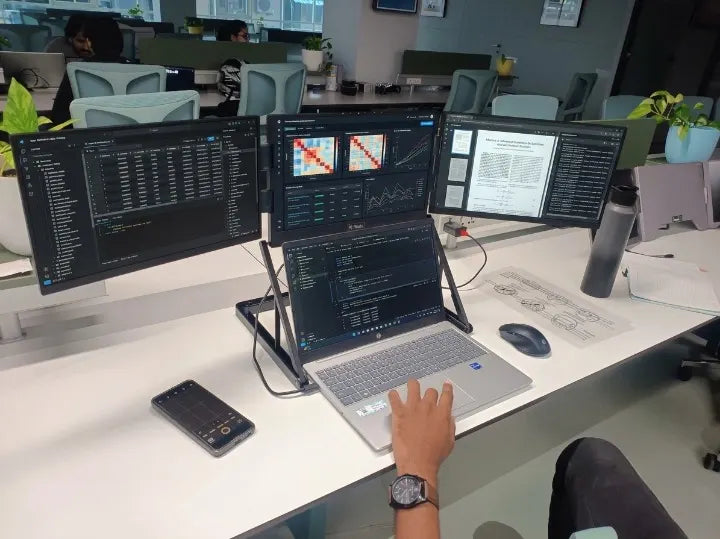
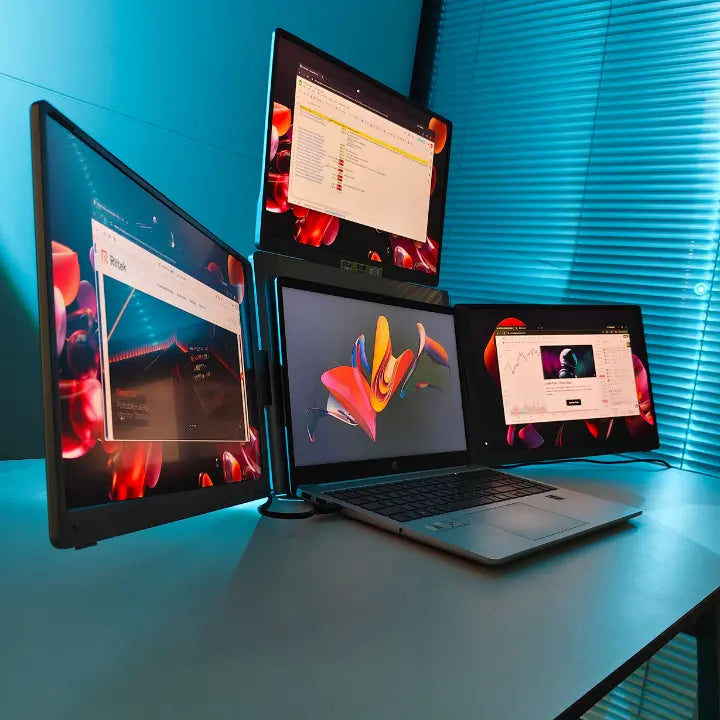
A quad monitor for laptop setup expands a laptop workspace to four displays. It is designed for people who need to see several sources of information simultaneously. A four-screen arrangement can be especially useful when your work involves dashboards, trading charts, code, spreadsheets, research, communication, and other information-heavy tasks.
A portable four-screen configuration also offers an advantage over a traditional desktop setup: the workstation can be packed away and moved when required. This can be useful for professionals who work between home, office, client locations, or other workspaces.
Create a Portable 4 Monitor for Laptop Setup
A portable 4 monitor for laptop setup is most useful when each screen has a clear purpose. Rather than opening the same information everywhere, assign different tasks to each display.
- Screen 1: Main work application
- Screen 2: Browser, research, or reference material
- Screen 3: Communication, email, or project management
- Screen 4: Monitoring, charts, spreadsheets, or secondary applications
This arrangement can make a multi-tasking workflow easier to manage because important information remains visible instead of being hidden behind other windows.
Benefits of a Multi Screen Laptop Setup
- Improves multitasking by keeping more information visible
- Makes side-by-side comparison easier
- Reduces unnecessary window switching
- Helps organize complex workflows
- Can support productivity in both home and office environments
- Provides a flexible alternative to a fixed desktop monitor arrangement
Why Choose the RIITEK 18.5 Inch Quad Portable Monitor?
The RIITEK 18.5 inch Quad Portable Monitor is designed for users who want a larger multi-screen workspace from their laptop. Its quad-monitor concept provides additional screen space for multitasking, productivity, trading, coding, designing, research, and other workflows.
For users searching for a laptop screen extender 18.5 inch, an 18.5 inch solution offers a practical fit for those who want more workspace without moving to a traditional desktop monitor arrangement. The RIITEK setup is also designed with portability in mind, making it suitable for users who need to move their workstation between locations.
Who Should Use an 18 Inch Portable Monitor?
An 18 inch portable monitor can be a useful choice for anyone who needs more screen space but still wants a flexible workstation. It can benefit remote professionals, business users, developers, designers, traders, students, researchers, and content creators.
The right setup depends on your laptop's compatibility, available ports, software requirements, and the number of displays you need. Before purchasing, check your laptop specifications and the monitor's connectivity requirements.
Tips for Setting Up a Laptop Screen Extender
- Check your laptop's USB-C or other available display connections.
- Confirm that your laptop supports the number of external displays you plan to use.
- Install or update required display drivers when applicable.
- Arrange screens according to the tasks you perform most often.
- Keep frequently used applications on the screen that is easiest to view.
- Use a comfortable viewing angle and suitable brightness for long work sessions.
Laptop Screen Extender vs. Traditional External Monitor
A traditional external monitor is generally intended to stay in one place, while a portable laptop display is designed around flexibility. If you work primarily at a fixed desk, a conventional monitor may be sufficient. If you frequently move between locations or want to build a portable workstation, a laptop screen extender can offer greater flexibility.
For users who need several displays, a quad-screen portable solution combines the benefits of additional screen space with a more mobile setup.
Conclusion
A laptop screen extender 18.5 inch can transform a limited laptop workspace into a more productive multi-screen environment. Whether you need extra space for office work, trading, coding, research, design, or remote work, an additional display can make multitasking easier.
For users who want even more workspace, a quad monitor for laptop setup can provide four screens in a flexible portable workstation. If you are looking for a larger portable display solution, explore the RIITEK 18.5 inch Quad Portable Monitor and discover how a multi screen laptop setup can fit your workflow.
You can buy it directly from the official RIITEK website or contact the RIITEK team for product and purchase assistance.