
Working on a laptop is convenient, but a single screen can become limiting when you need to manage multiple applications at the same time. Switching between spreadsheets, browsers, documents, meetings, and other tools can make your workspace feel crowded. A portable monitor for laptop can provide the extra screen space you need to create a more organized and flexible workstation.
For professionals who work with several applications every day, a multi-screen setup can make it easier to keep important information visible. From remote work and business tasks to trading, coding, design, and content creation, additional displays can give your laptop a much larger workspace.
What Is a Portable Monitor for Laptop?
A portable monitor for laptop is an external display designed to add screen space to a laptop. Instead of replacing your laptop's built-in display, it works alongside it to provide additional workspace.
Depending on the monitor and laptop, you can use the extra display to extend your desktop or duplicate your laptop screen. Portable monitors are especially useful for people who need additional screen space but do not want to carry or install a traditional desktop monitor.
How Does a Portable Laptop Monitor Work?
A portable laptop monitor connects to your laptop using supported connection options such as USB-C or USB-A. The exact connection method depends on the monitor and the ports available on your laptop.
Once connected, you can configure the display through your laptop's display settings. An extended display allows you to place different applications on different screens, giving you more room for multitasking.
Why Use a Portable Monitor for Laptop?
The biggest advantage of a portable monitor for laptop is the additional workspace it provides. Instead of keeping every application on one screen, you can distribute your work across multiple displays.
Expand Your Workspace
Additional screen space allows you to keep documents, browsers, spreadsheets, communication tools, and other applications visible at the same time.
For example, you could keep your main project on your laptop screen, a spreadsheet on one additional display, and research or communication tools on another.
Improve Multitasking
A larger workspace can make multitasking more convenient. Rather than repeatedly minimizing and opening windows, you can keep frequently used applications visible.
This can be particularly useful for professionals who regularly work with several programs or information sources.
Create a Flexible Workstation
A portable monitor gives you the flexibility to create additional workspace wherever you work. You can use a portable setup at home, in an office, at a coworking space, or while traveling.
This makes a portable display a practical option for professionals who need a larger workspace without committing to a permanent desktop setup.
Who Can Benefit From a Portable Monitor for Laptop?
A portable display can be useful for different types of laptop users. Your ideal setup depends on how you work and how much screen space you need.
Remote Workers and Business Professionals
Remote workers often manage video meetings, emails, documents, spreadsheets, and communication platforms at the same time. Additional displays can help organize these applications across a larger workspace.
Traders and Financial Professionals
Trading often requires monitoring charts, market information, financial platforms, and other data simultaneously. A multi-screen laptop setup can provide more room to view these resources without constantly switching between windows.
Programmers and Developers
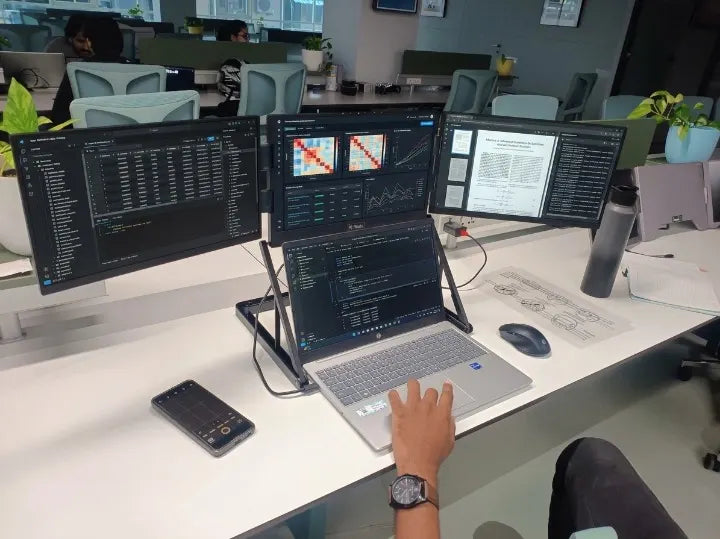
Developers may need a code editor, browser, terminal, documentation, and testing environment open simultaneously. A laptop screen extender can provide dedicated space for these different parts of the development process.
Designers and Content Creators
Designers and content creators can use additional displays for editing software, reference material, previews, timelines, and other creative tools. This can make it easier to organize a complex workflow.
How a Laptop Screen Extender Helps With Multitasking
A laptop screen extender is designed to expand the available display area around your laptop. Instead of relying entirely on the laptop's built-in screen, you can distribute applications across multiple displays.
Keep Important Applications Visible
With more screen space, you can keep frequently used applications open and visible. This can be helpful when comparing information, monitoring dashboards, attending meetings, or working with large documents.
Reduce Window Switching
Constantly switching between applications can make a workflow feel less organized. Additional displays allow you to place different tasks on separate screens.
Build a Multi-Screen Laptop Setup
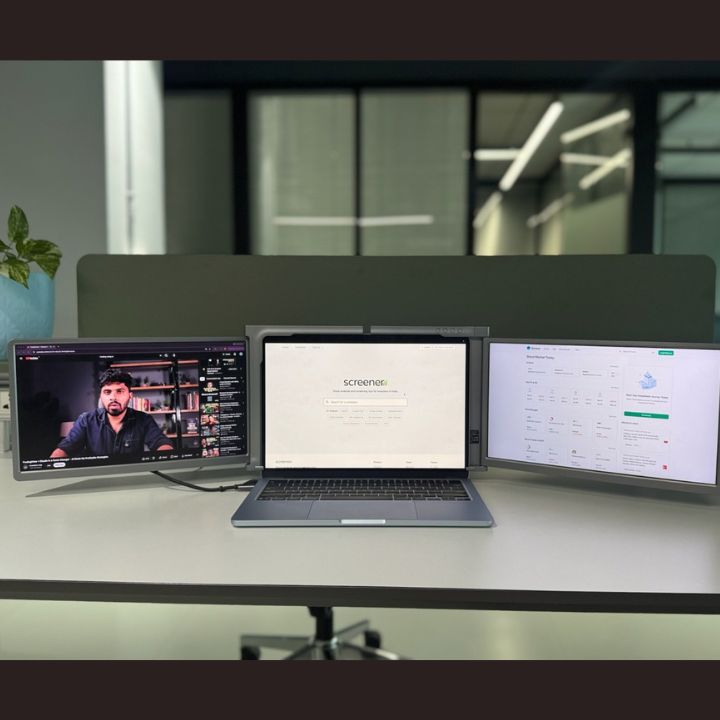
A basic setup may include your laptop and one additional monitor. Users who require more workspace can expand to a triple-screen or quad-screen setup.
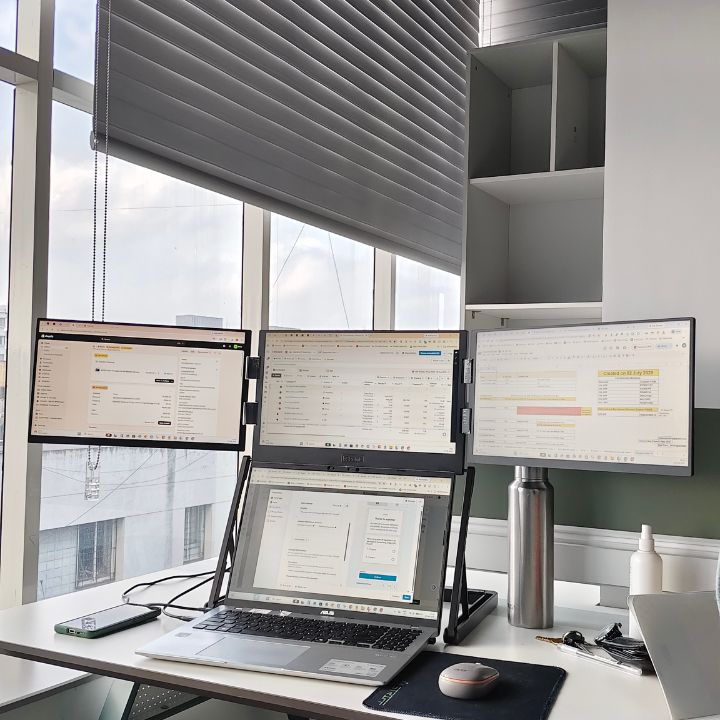
A four-screen arrangement can be especially useful when different applications need to remain visible throughout the workday. You can explore the RIITEK Quad Monitor Collection to find suitable multi-screen display options.
What Is a 15.6 Inch Quad Portable Monitor?
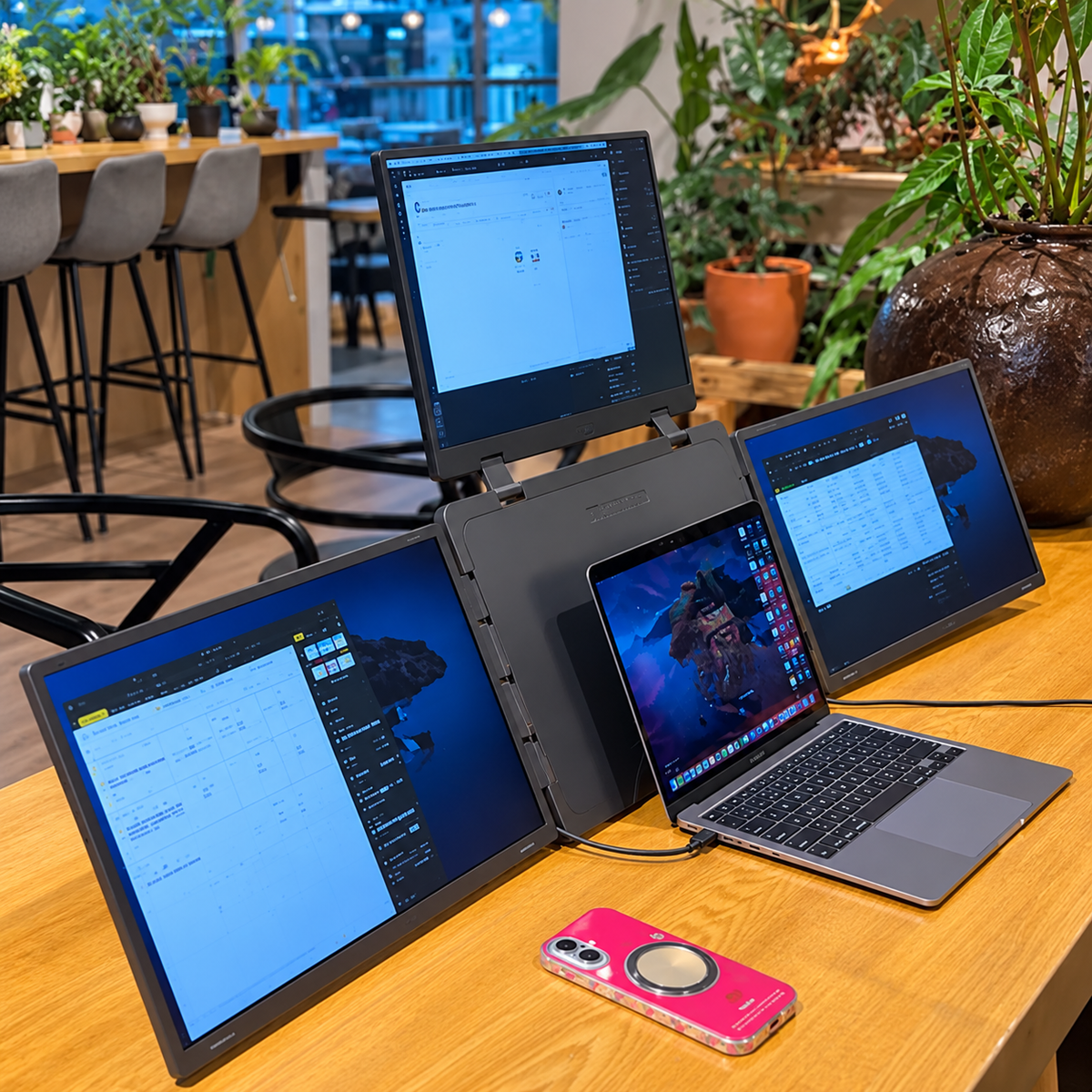
A 15.6 inch quad portable monitor is designed to provide three additional displays alongside a compatible laptop screen. This creates a four-screen workspace while maintaining a portable form factor.
The RIITEK 15.6-inch Quad Portable Monitor uses three additional 15.6-inch displays, each with Full HD 1920×1080 resolution and IPS technology. The product is listed with a 60Hz refresh rate and 16:9 aspect ratio.
A setup like this can be useful for users who need more screen space than a traditional single portable monitor can provide.
Benefits of a Quad Monitor Setup for Laptop
A quad-screen arrangement can provide a significant amount of workspace for people who regularly multitask.
Four Screens for Different Tasks
You can assign different screens to different activities. For example:
- Laptop screen for your main application
- One display for documents or spreadsheets
- One display for browser research
- One display for communication, charts, or monitoring
The exact arrangement depends on your workflow.
More Workspace Without a Traditional Desktop Setup
A quad monitor setup for laptop provides multiple displays while maintaining a portable approach. This can be useful for professionals who want a larger workstation but also need flexibility.
Useful for Professional Workflows
Four screens can be particularly useful for trading, programming, research, content creation, design, project management, and other tasks that involve multiple applications.
What to Consider When Choosing a Portable Monitor for Laptop
Before choosing a portable laptop monitor, consider more than just screen size.
Screen Size
A 15.6-inch display provides a relatively large working area while remaining suitable for a portable setup. If you are considering an attachable monitor, also check whether its supported laptop-size range matches your device.
Display Resolution
Resolution affects the level of detail visible on the screen. Full HD 1920×1080 is a practical resolution for everyday professional work, browsing, documents, and multitasking.
Connectivity
Check your laptop's available ports before choosing an external monitor for laptop use. USB-C and USB-A can be used depending on the monitor and laptop configuration.
For USB-C connections, it is important to check whether the specific laptop port supports video output.
Compatibility
Compatibility is particularly important when choosing a multi-screen laptop setup. Check the supported laptop size, operating system, available ports, and any driver requirements.
Portability and Design
If you plan to travel with your monitor, consider its weight, folding mechanism, adjustment options, and overall design. A portable monitor should provide additional screen space without becoming difficult to transport.
Why Choose the RIITEK 15.6 Inch Quad Portable Monitor?
The RIITEK 15.6-inch Quad Portable Monitor is designed for users who want to turn a compatible laptop into a four-screen workstation. It combines three additional 15.6-inch displays with the laptop's own screen.
Three Additional 15.6-Inch Displays
The setup provides three additional 15.6-inch displays, giving users more space for applications, documents, charts, research, and other tasks. Each display offers Full HD 1920×1080 resolution with IPS technology.
Designed for Multitasking
The four-screen arrangement can help users organize different applications across separate displays. Whether you are coding, trading, attending meetings, designing, or managing business tasks, the additional workspace can make a complex workflow easier to organize.
Flexible Viewing Angles
The RIITEK product features a foldable design with a 360-degree rotation range for the left and right screens. The top screen also provides an adjustable viewing range, allowing users to position the displays according to their workspace.
Compatible With Different Laptop Sizes
The RIITEK 15.6-inch Quad Portable Monitor supports laptops from 12 to 18.5 inches. It supports Windows and macOS, although macOS may require driver installation depending on the setup.
USB-C and USB-A Connectivity
The product supports USB-C and USB-A connectivity. The exact setup depends on the laptop's available ports and whether the USB-C port supports video output.
How to Set Up a Portable Monitor for Laptop
Setting up a portable display starts with checking your laptop's ports and compatibility.
Check Your Laptop Ports
Before connecting the monitor, check whether your laptop has a suitable USB-C, USB-A, or other supported connection. If using USB-C for video, verify that the port supports video output.
Connect the Monitor
Use the appropriate cables according to the monitor's connection requirements. For the RIITEK Quad Portable Monitor, the connection method depends on the laptop's port configuration.
Choose Extend Display Mode
After connecting the displays, open your laptop's display settings. Selecting the extended display option allows you to use different applications across separate screens.
Arrange Your Screens
Arrange the displays according to your workflow. You might use one screen for your primary application, another for communication, and additional screens for research, documents, charts, or other tools.
Portable Monitor for Laptop vs. Traditional Monitor
A traditional external monitor is generally designed for a fixed desk environment. A portable monitor is designed with mobility and flexibility in mind.
A portable setup can be useful for people who:
-
Work from different locations
-
Travel regularly
-
Use multiple workspaces
-
Need additional screens temporarily
-
Prefer a flexible workstation
For users who need several displays, a quad-screen portable monitor can provide considerably more workspace than a single external display.
Is a 15.6 Inch Quad Portable Monitor Worth It?
A 15.6 inch quad portable monitor can be worth considering if you regularly work with several applications and need significantly more screen space than a standard laptop provides.
It can be particularly useful for professionals who work with trading charts, coding environments, design applications, documents, spreadsheets, research tools, and communication platforms.
The key is to choose a setup that matches your workflow, laptop compatibility, available ports, and portability requirements.
Conclusion
A portable monitor for laptop can help transform a standard laptop into a more flexible workstation. Additional displays provide more room for applications, documents, research, communication, and other tasks, making multitasking easier to organize.
For users who need even more workspace, a 15.6 inch quad portable monitor can provide three additional Full HD displays alongside the laptop screen. The RIITEK 15.6-inch Quad Portable Monitor is designed for compatible laptops from 12 to 18.5 inches and combines multiple displays with a foldable, adjustable design.
If you are looking to create a four-screen workstation for work, trading, coding, design, or professional multitasking, explore the RIITEK Quad Portable Monitor and see how it can expand your laptop workspace.
Frequently Asked Questions
What is a portable monitor for laptop?
A portable monitor for laptop is an additional display that connects to a laptop to provide more screen space. It can be used to extend the desktop and display different applications on separate screens.
What is a 15.6 inch quad portable monitor?
A 15.6 inch quad portable monitor is a multi-screen display system that provides three additional 15.6-inch screens alongside a laptop's built-in display. This creates a four-screen workspace for multitasking.
Is a quad monitor setup good for productivity?
A quad monitor setup can be useful for productivity when your work requires several applications or information sources to remain visible at the same time. It can be helpful for coding, trading, research, design, content creation, and business work.
Can the RIITEK 15.6-inch Quad Portable Monitor work with MacBook?
Yes. The RIITEK 15.6-inch Quad Portable Monitor supports macOS as well as Windows. Depending on the MacBook and configuration, macOS may require driver installation.
What laptop sizes are compatible with the RIITEK 15.6-inch Quad Portable Monitor?
The product is designed to support compatible laptops ranging from 12 to 18.5 inches.
Is the RIITEK 15.6-inch Quad Portable Monitor suitable for trading?
Yes. The four-screen setup provides additional workspace for displaying trading charts, market information, analysis tools, and trading platforms simultaneously.
Does a portable monitor require an external power source?
Power requirements depend on the laptop and connection configuration. The RIITEK product information notes that an included PD power adapter may be required for optimal performance depending on the laptop's USB-C power output.